IA que trabaja
Moving your website to a CDN can reduce server load, but the opposite can happen during the transition: the cache starts empty, and many requests still reach the origin. If you respond to the spike by turning on broad bot protection, you could also block Googlebot.
The answer is to prepare for the change as a migration with two separate checks: that the origin can handle the requests the CDN cannot yet absorb and that legitimate crawlers can access your content. You need a baseline, safe caching rules, access tests and a rollback plan.
On November 11, 2026, Google explained this transition risk: a fast CDN can contribute to a gradual increase in crawling when there is demand, while requests for content not yet in the cache still reach the origin server. That does not mean it will happen on every website or that the increase will be immediate.
What changes when you put a CDN in front of your website
A content delivery network, or CDN, receives visitor requests through distributed servers. If it has a valid copy of a resource, it can respond without requesting it again from the origin: the server or application that holds the original content.
When it does not have a usable copy, it requests the resource from the origin. The response may or may not be stored, depending on the configuration and headers. The cache can also be empty in one location even when a copy already exists in another.
The difference matters especially for crawlers. Visitors may concentrate on a few popular pages; a crawler may request a much wider variety of URLs. Warming the homepage cache therefore does not guarantee that product pages or less-visited articles will stop generating load.
| Situation | What happens to the request | What to monitor |
|---|---|---|
| Valid cached copy | The CDN can respond from its network | Content age and expiration rules |
| Resource has no cached copy | The request may reach the origin | Server load, latency and errors |
| Page deliberately excluded from caching | The CDN may contact the origin on every visit | Server capacity and session security |
| Bot protection is too broad | A challenge page or error may replace the content | Access for verified crawlers |
A CDN does not make everything cacheable. Shopping carts, user accounts and personalized responses need particular care: storing a private response as if it were public can expose information to someone else.
What can happen to Google crawling
Google combines the crawl capacity it considers available with demand for URLs. According to its crawl capacity documentation, stable, fast responses can allow the limit to increase over time; slow responses, server errors and throttling signals can reduce it.
That does not mean Google will crawl more just because you install a CDN: there must also be demand. Nor does crawling a page guarantee that it will be indexed.
There is a useful distinction for a small business: crawl capacity is not the same as migration health. Even if your website is small and does not need an advanced crawl budget strategy, you still need to check that Google receives your pages and that server performance does not degrade. Google says that for many sites without large volumes of rapidly changing pages, keeping the sitemap up to date and checking indexing is usually enough.
Requirements before changing DNS
You do not need to change your entire architecture at once, but you do need to coordinate the people responsible for these areas:
- DNS and CDN: authorized access to prepare the configuration and roll back the change.
- Hosting and application: origin metrics, access logs and the ability to identify errors or overload.
- Security: web application firewall, or WAF, rules and the provider’s method for identifying verified bots.
- SEO: access to reports for the relevant property in Search Console, the sitemap and a list of important URLs.
- Operations: one person responsible for the change, another available to check the origin, and a deployment window with support available.
Also prepare a sample of URLs: the homepage, commercial pages, articles, CSS and JavaScript resources, images, redirects, deleted pages and robots.txt. If you have a store or private area, add functional tests for the cart, login and logout, without sharing credentials or customer data in the test logs.
Record the DNS configuration before the change and how to restore it. Check certificate, security rule and origin routing dependencies with your providers: because of DNS caches and TTL values, a DNS rollback may not reach all users at the same time.
Steps to prepare and check the migration
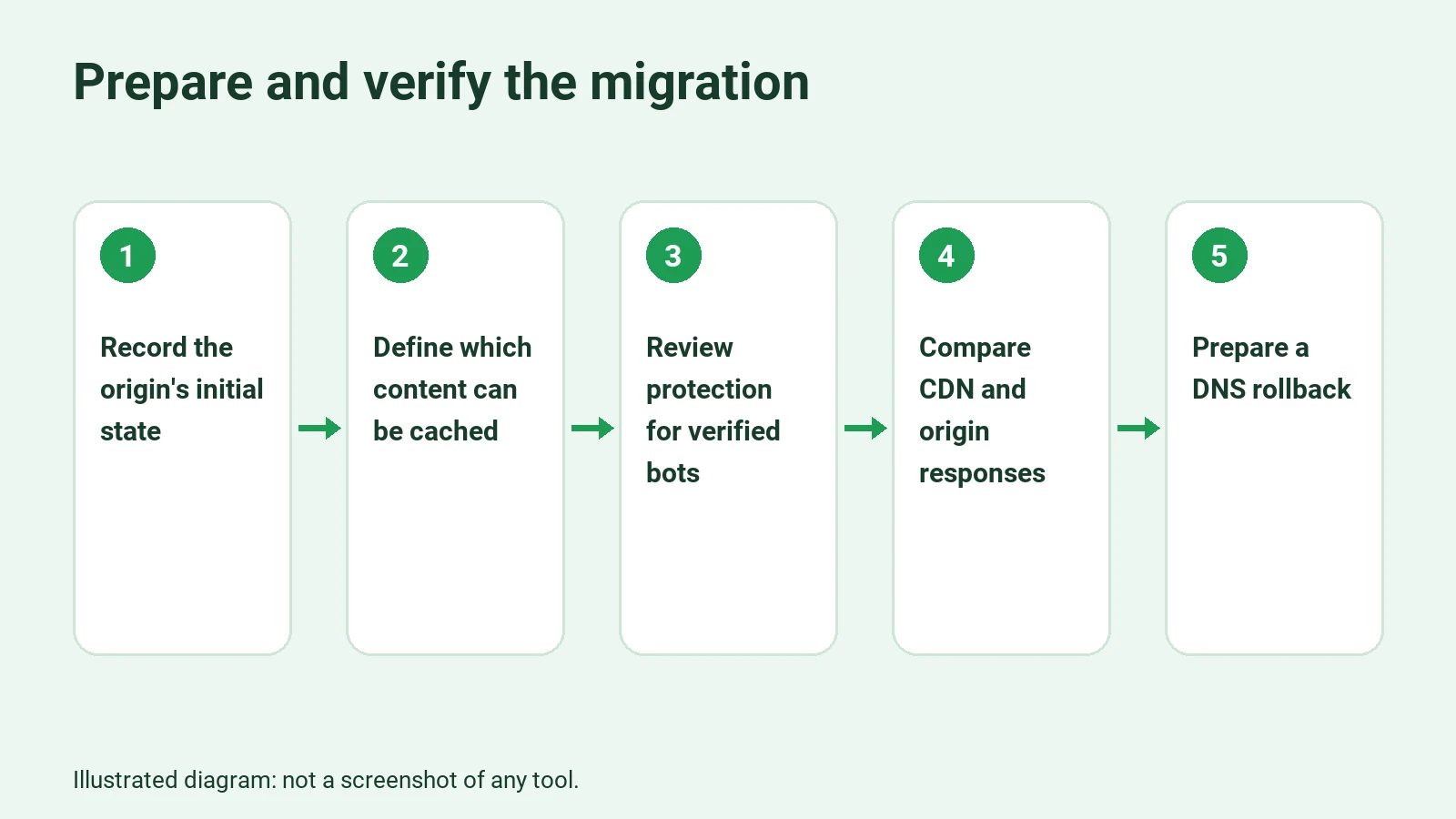
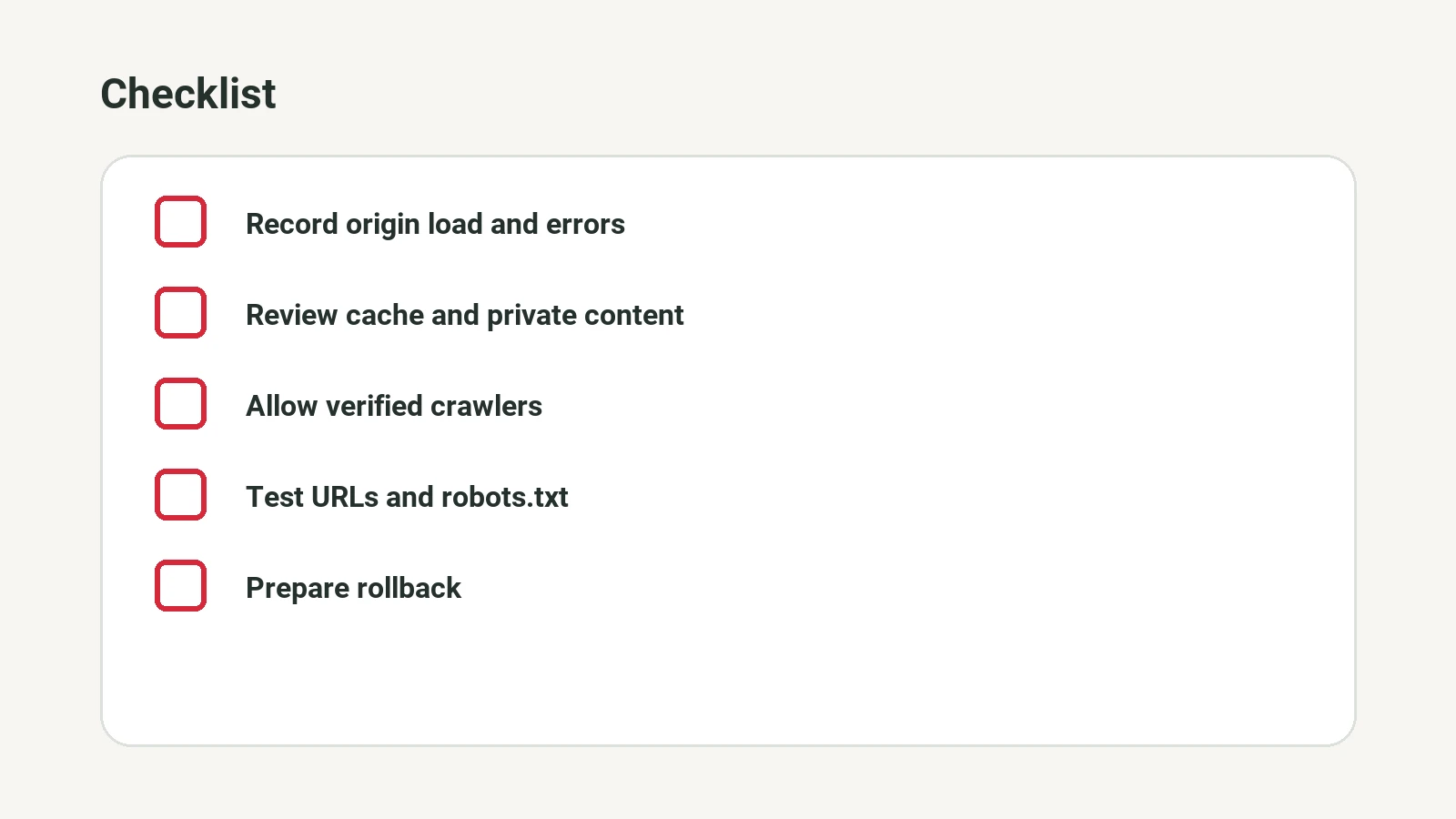
1. Establish a baseline for the current state
Over a representative period, record origin requests, response times, 4xx and 5xx errors, resource usage and, if available, traffic from verified crawlers. Also save the responses for a sample of URLs: HTTP status codes, redirects, essential content and relevant headers.
The baseline should include a period of normal activity and, where relevant, a higher-load period. The goal is not to set a universal threshold, but to understand how your website behaves and what level of deterioration your team will consider unacceptable before making the change.
Check: you can identify critical URLs and compare their responses and metrics with those after the change. If you do not have enough origin data, address that lack of visibility before continuing.
2. Define what to cache and what not to cache
Classify content by type, not just by extension. Public, stable resources are candidates; responses involving sessions, private information or sensitive changes need specific rules and often need to be excluded from the cache.
Review the origin headers and how your provider interprets them. Decide how long a copy can remain cached, how it is invalidated after an update and which variables, such as parameters or language, should distinguish one response from another. A rule that ignores a relevant variable can serve the wrong content.
Check: access a public page more than once and review the cache indicators available from your CDN. For a private page, use separate test sessions to verify that content is not shared. Cache header names and their meanings depend on the provider.
3. Set up protection without blocking Google
Check whether automatic rules can present CAPTCHAs, return errors or limit legitimate requests. If your provider offers verified bot identification, configure the appropriate exception so those crawlers can access content without a challenge, while keeping the other necessary protections in place.
Do not consider a visitor verified just because it sends a User-Agent header that says Googlebot: anyone can imitate it. Use your provider’s verification or check the source using the methods and ranges published by Google. Google’s explanation of CDN migration warns that its crawlers do not solve CAPTCHA challenges.
Check: review WAF events and logs of verified requests. A test that changes the User-Agent may reveal a general rule, but it does not prove that the real Googlebot can get through.
4. Test the CDN before sending all traffic through it
If your provider allows it, use its preview method or a controlled test environment to compare the CDN’s response with the origin’s. Check the certificate and the requested domain, and make sure the test actually passes through the rules you will use in production. Avoid accidentally publishing a duplicate that search engines can access.
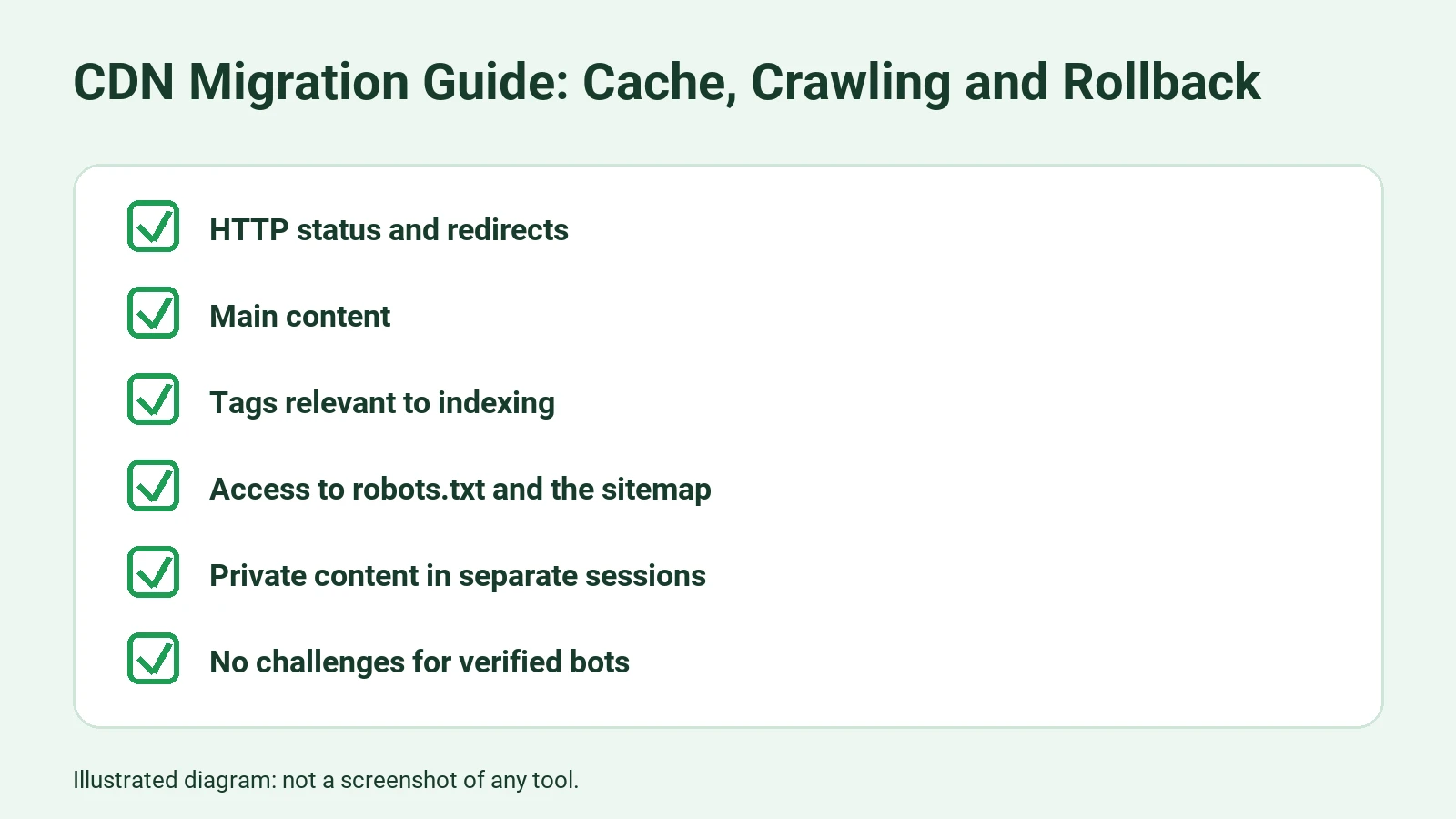
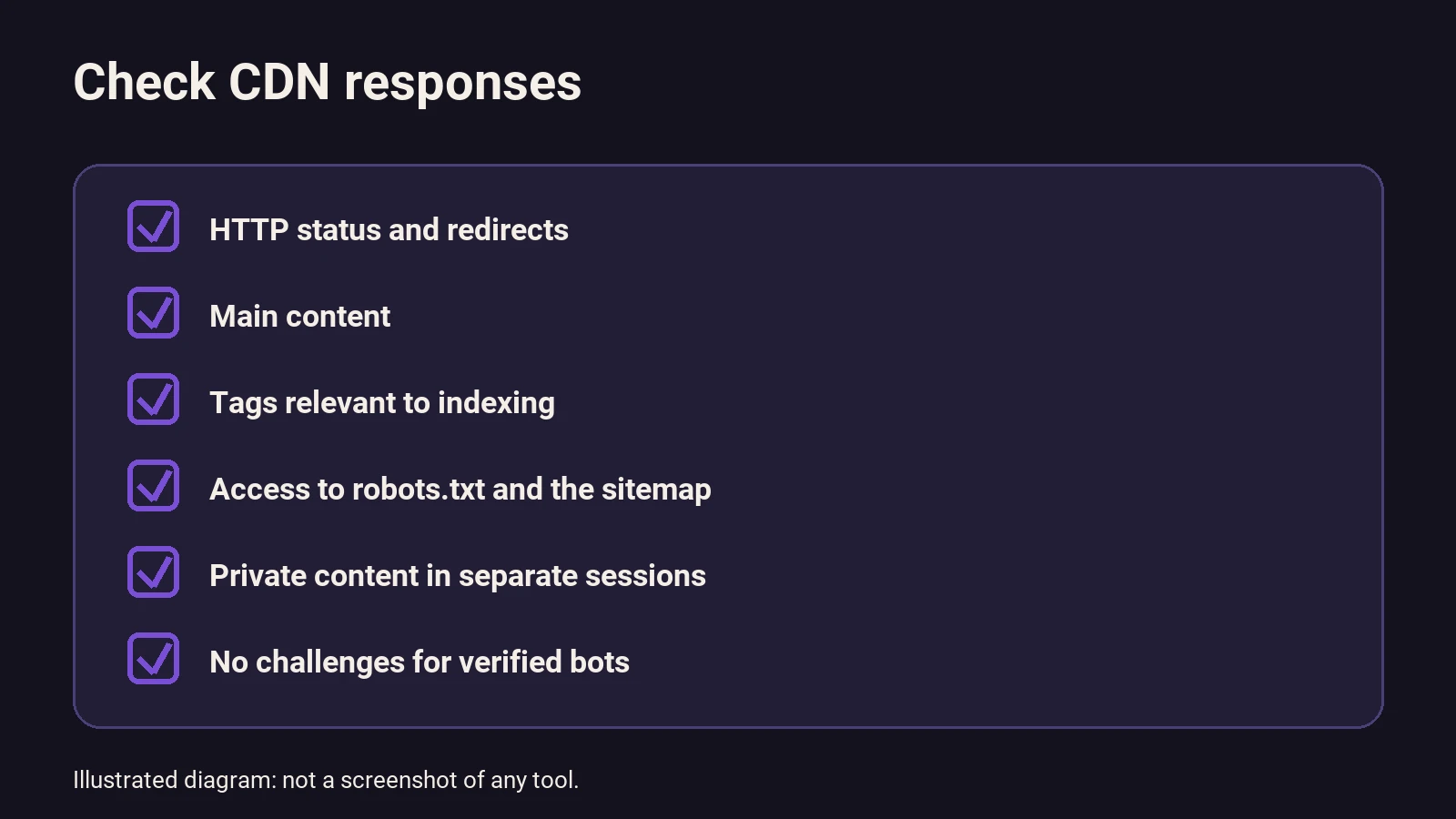
Compare status codes, redirect destinations, main content, tags relevant to indexing, and access to robots.txt and the sitemap. A 200 response alone does not prove that you have the correct page: it could be a challenge, an error page or content from another version.
Check: document expected differences and correct unexpected ones. If you cannot reproduce production conditions before the change, reduce the initial scope and increase monitoring afterward.
5. Warm a sample at a controlled rate
Request your most important public pages and the resources you expect to be cacheable through the CDN. Include URLs for upcoming campaigns and those you observe being crawled frequently, if you have that data.
Start with a small number of requests and increase them only if origin response times and errors remain acceptable. Avoid launching a large-scale crawl to warm the cache: that would add load during the preparation itself. Check whether your provider lets you target warming to different locations; a request from one location does not guarantee that all caches are ready.
Check: use your provider’s logs or metrics to see whether repeated requests are served from cache and whether origin requests stay within the agreed margin.
6. Switch traffic and compare
Make the change during the agreed window. Monitor origin load and the proportion of responses served from cache, as well as errors and WAF events. Compare the sample of URLs with the baseline and check user operations that should not depend on a public cached copy.
Check: priority pages, resources, redirects and crawl-related files respond as expected; there are no signs of private content being shared or verified crawlers being challenged. Search Console can help you check Google’s access, although its reports do not replace immediate monitoring of the origin and CDN.
7. Keep monitoring, then complete or roll back
Continue monitoring after the initial window: the cache may fill unevenly, and search reports do not necessarily show every effect immediately. Also compare updated pages to confirm that invalidation works.
If a problem appears, assign someone to diagnose it within a short deadline. Roll back using the prepared procedure when an agreed threshold is exceeded or you cannot guarantee content security. Then confirm that traffic has returned to a working configuration; do not consider the rollback complete just because you changed DNS.
Proposed example: a store with a catalog and customer area
Imagine a store that wants to put its domain behind a CDN before a campaign. The catalog is public; the cart and order history depend on the session. This example is a proposed approach, not a migration that has been carried out.
The team starts with origin logs and selects the homepage, several categories, campaign products, images, robots.txt and the sitemap. It also prepares two test accounts without real customer information.
First, the team selects images and certain public pages as caching candidates, provided the provider and application allow them to be served safely. It keeps the cart and customer area out of the shared cache. When testing with the two accounts, the team checks that each sees only its own session and that logging out removes access as expected.
Next, the team gradually requests the public URLs through the CDN. If a second request still reaches the origin, it reviews the headers and the relevant rule: the page may not be cacheable, or the copy may not be available in that location. The team does not force caching without understanding why the page was excluded.
After the switch, the team finds WAF events showing challenges to requests identified by the provider as verified crawlers. It adjusts the exception, checks new requests and retains protection for unverified traffic. Separately, it compares origin response time with the baseline: if it rises along with requests for uncached resources, the team reduces cache warming and investigates which resources are generating the load.
The decision to complete the change does not depend on a single indicator. It requires the catalog to be accessible, sessions to remain isolated, updates to appear and origin load to be acceptable for operations.
What to check if something goes wrong
| Signal | What to check | What to do if there is a problem |
|---|---|---|
| Origin requests increase | Uncached resources, parameters, locations and cache rules | Stop aggressive cache warming and correct the rules safely or add capacity |
| 5xx errors or latency increase | Application health, connections and traffic by type | Reduce load, investigate the cause and roll back if the agreed limit is exceeded |
| Google receives a challenge or 403 | WAF events and source verification | Adjust the exception for verified crawlers and check again |
| A page returns 200 but displays an error | Response body and redirect chain | Correct the rule or the origin; do not rely on the status code alone |
| Old content is displayed | Expiration, invalidation and cache variants | Invalidate the affected copy and review the publishing process |
| Content from another session appears | Shared cache rules and session variables | Stop the exposure, exclude the affected responses and follow your internal incident protocol |
If the origin is at its limit: temporary slowdown and rollback
If the server is under critical load, do not make a blanket block your permanent solution. First check where the traffic is coming from: it may include legitimate crawlers, filters that generate many URLs, visitors or your own cache-warming requests.
For a brief emergency, Google documents that 429 or 503 responses can reduce its crawl rate; you can include Retry-After with them. Google recommends not maintaining these responses for more than one or two days. The measure affects the entire hostname and can delay information updates in Google products. In Google Ads, campaigns may be paused or canceled, and ads may stop running. If errors persist for several days, affected URLs may disappear from the index. See the details in Google’s guide to urgently reducing the crawl rate.
Use this measure only if your infrastructure genuinely needs a breather, with someone responsible for removing it and checking recovery. Do not deliberately return errors as a routine SEO practice. If a CDN or WAF rule is the cause, correcting it or returning to the previous configuration may be more appropriate.
Do not use robots.txt as an emergency switch to redistribute crawling temporarily either. It is intended to specify which paths you do not want crawled; blocking a URL does not guarantee that it will disappear from search results.
Costs: how to estimate them without making up a rate
The cost depends on the provider, traffic, the features you choose and the work needed to adapt your website. Without a current rate that applies to your situation, use this hypothetical method:
- Ask the provider for a quote covering the fee, included traffic, overages, requests, protection and possible additional charges.
- Estimate usage from your current metrics and consider a campaign scenario separately. Check which traffic is billable and what is not included.
- Add the expected hours for configuration, testing, coordination and monitoring, multiplied by your internal or quoted hourly rate.
- Include the cost of temporarily maintaining additional origin resources if you decide to have that margin.
- Compare the total with your current spending and review actual usage after deployment.
An indicative formula would be: CDN fee + expected billable usage + implementation hours + expected additional capacity. This is an estimate, not a price or a promise of savings. A better cache hit rate can reduce work for the origin, but it does not necessarily eliminate hosting costs.
What to automate and what to keep under human control
Once the migration has stabilized, you can automate alerts based on aggregate metrics: an increase in origin errors, a drop in responses served from cache or blocks affecting verified bots. Each alert should identify the source, period, agreed threshold and person responsible. Avoid sending URLs containing sensitive data, tokens or complete logs to external tools without reviewing how they handle the data.
AI can help summarize anonymized incidents or group symptoms, but it should not change security rules, grant access or roll back DNS on its own without controls. A summary does not verify Googlebot’s identity or replace the provider’s logs.
To help your team maintain those alerts, it is useful to document the automation and its dependencies: what is measured, where to find it and how to stop it. If you want help reviewing the relationship between the migration and organic visibility, you can explore the SEO with AI service. If you prefer to train your team to interpret data and automate tasks, there is the Academy.
Frequently asked questions
Does a CDN automatically improve my search rankings?
No. It can help serve resources and protect the origin if configured correctly, but an incorrect setup can also make pages harder to access. Crawling, indexing and ranking are separate processes; no infrastructure change guarantees a result on Google.
Do I need to cache every HTML page?
No. It depends on the application and whether the response changes by user, session, language or other variables. Start with public content you can serve safely and verify that updates appear. Keep anything you cannot isolate correctly out of the shared cache.
Is it enough to allow any request that claims to be Googlebot?
No. The user-agent name can be imitated. Use your provider’s verified bot identification or a source-based verification method published by Google. Then check that the applicable rules do not present challenges to legitimate crawlers.
Should I worry about crawl budget if my website is small?
Not necessarily about advanced crawl budget optimization. You should still check that important pages are accessible, that the sitemap is up to date and that the CDN is not causing errors or blocks. A small site can still have a configuration error.
How long should I monitor after the change?
There is no universal timeframe. Maintain heightened monitoring during and after the deployment window, taking into account your website’s activity, DNS propagation and how long crawl data takes to appear. Decide when to close the migration based on completed checks, not just the clock.
Can I use a CDN without changing DNS?
It depends on the integration and which traffic you want to distribute. Some resources can be served from a CDN domain, while putting the main domain behind one usually requires routing or DNS changes. Check the specific architecture with your provider before planning the test.
Sources
- <https://developers.google.com/crawling/docs/crawl-budget#crawl-capacity-limit>