 IA que trabaja
Most businesses don’t need an “AI platform.” They need something much more mundane: their software talking to each other. The website form should end up in the CRM without copying and pasting, the store order should go straight to invoicing, and your phone should alert you when something important happens.
In this real case, the shop was using six different programs that didn’t talk to each other: POS, online store, wholesaler, Google listings, WhatsApp, and Telegram. A big part of the job was simply connecting them.
Typical examples
- Form → CRM → notification. Someone fills out the form, the contact is created in your CRM, they get a welcome email, and you get a notification with their request.
- Order → invoice → shipping. Each sale in your store creates the invoice in your accounting software and the shipping label.
- Stock synced between your POS and your online store, so you don’t sell what you no longer have.
- Supplier catalog that is automatically imported into your store with product details and stock.
- Important alerts: a payment that hasn’t arrived, a stuck order, a one-star review.
- An AI step in the middle when needed: classifying an email, summarizing a document, writing a product description.
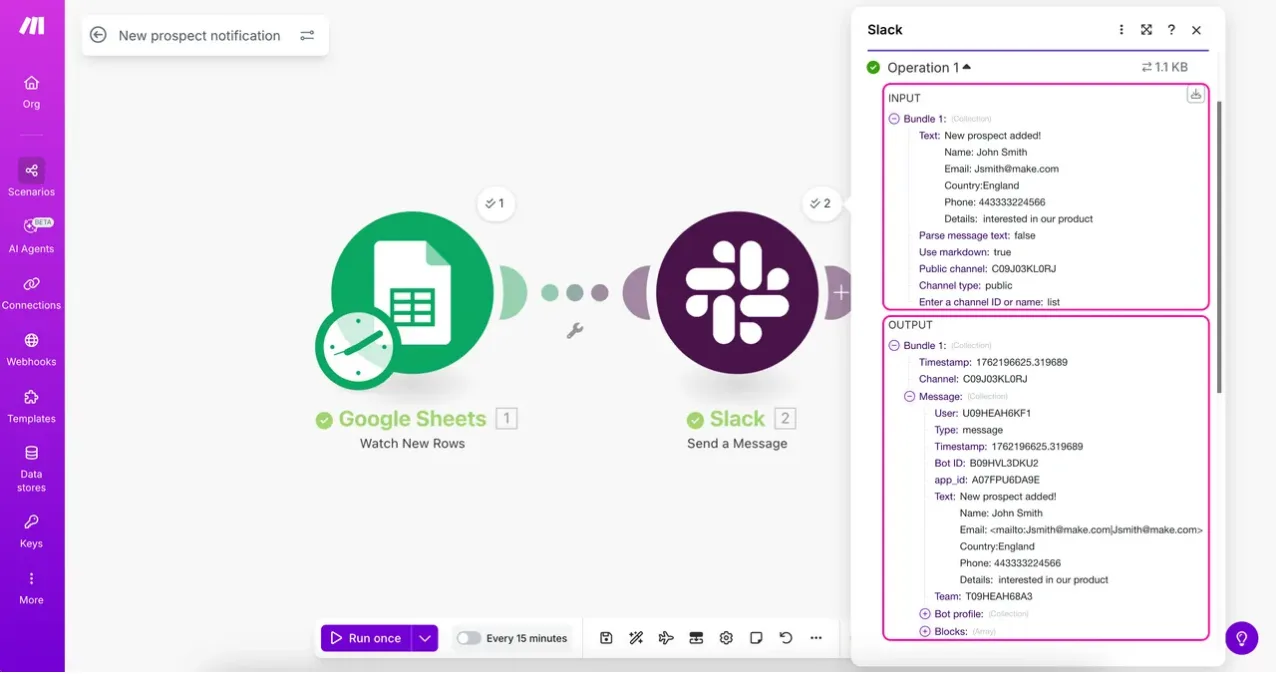
n8n, Make, or custom code: which do I use?
I don’t have a favorite tool for everything. I pick whichever is cheapest and easiest for you to maintain:
| Make | n8n | Custom code | |
|---|---|---|---|
| Who it’s for | Simple flows, you want to tweak it yourself | Flows with many steps or high volume | Critical or very specific cases |
| Cost | Monthly fee based on operations | Free if self-hosted; or a fee in their cloud | Just the server |
| Pros | Very visual, quick to learn | No execution limits on your server, very flexible | Full control, nothing breaks due to third-party updates |
| Cons | Gets expensive at scale | You have to maintain the server | Needs someone who understands it |
If you want to dig deeper, I have two guides: what you can automate with n8n and step-by-step Make guide.
How I make sure it doesn’t break
- Every flow documented: what it does, where it reads from, where it writes to, and what to do if it fails.
- Error alerts. If a flow fails, you find out (and so do I), instead of discovering it a month later.
- No duplicates. Flows are designed so that if an event comes in twice, you don’t get two invoices.
- Accounts in your name. The n8n, Make, or server accounts are yours.
How much does it cost
- Setup depends on what needs to be connected. I give you a fixed price after a call, before starting. With the estimator you can first see how much it costs you today to do it by hand.
- Integrations between several programs (store, POS, invoicing) are quoted based on how many and how open they are. I always check if they have an API first: if they don’t, I’ll let you know, because that changes everything.
Frequently asked questions
What if my software doesn’t have an API?
Then we look for another way: scheduled exports, emails sent by the program itself, or, as a last resort, automating the browser. It works, but it’s more fragile, and I’ll tell you before we start.
Can I edit it myself afterwards?
If it’s in Make or n8n, yes: I’ll explain how it’s set up and you can change texts, conditions, or destinations yourself.
Zapier too?
Yes. If you’re already using it and it works for you, there’s no reason to switch just for the sake of it. For high volumes, it’s usually more expensive than Make or n8n on your own server.