 IA que trabaja
You’ve probably seen it in a hundred videos: “Comment GUIDE and I’ll send it to you by DM.” Behind that, there’s an automation—and it’s one of the most effective on social media: the comment boosts the video’s reach, and the private message gives you direct contact.
I use this on my own Instagram, TikTok, and YouTube accounts. This isn’t a demo: it’s my everyday system.
What it does
- Comment a keyword, get a DM. When someone comments the chosen keyword on a video, they get a private message with any link you want: a guide, a discount, a booking form.
- Public reply to the comment (on Instagram), with several variations so it doesn’t look like a bot repeating itself.
- On YouTube, since there are no private messages, it replies to the comment with the link.
- Old videos too. If a video from three months ago still gets comments, those are handled as well. No one is left without their message.
- Limits and pause. Set a maximum number of messages per hour and per day to avoid raising flags, and a button to pause everything.
- Daily analysis: your videos and your competitors’, what worked and why, and content ideas based on what’s working for others.
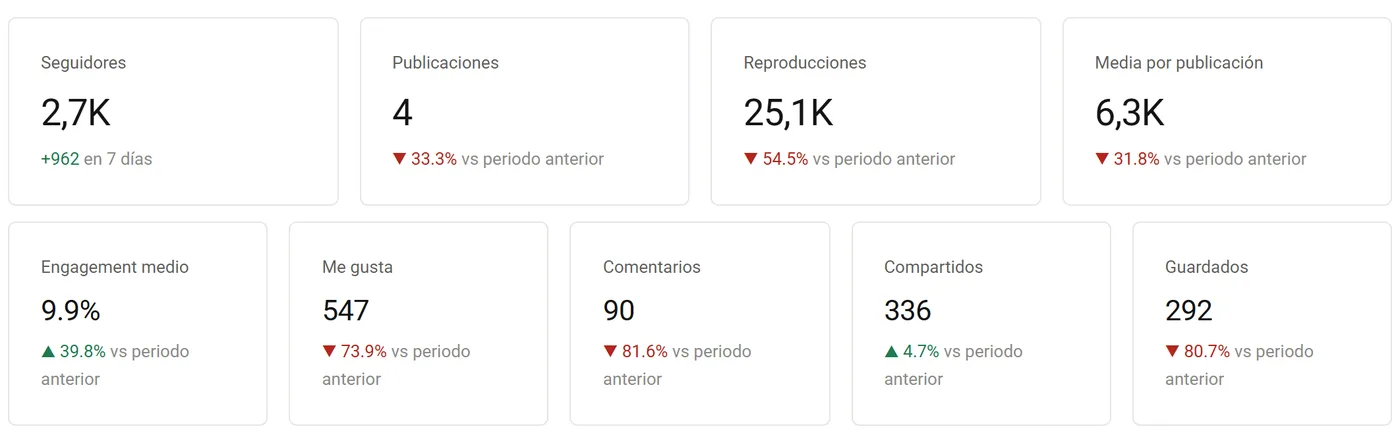
Real numbers from my own accounts
On two typical days in October 2026, the system sent 139 messages on Instagram (each with a public reply) and 98 on TikTok, without me touching anything. Each one is someone who requested something and got it in seconds—not the next day.
Instagram, TikTok, and YouTube work differently
- Instagram has an official Meta API for replying to comments by DM. It’s the most stable: it’s set up with your professional account and the Meta app in your name.
- TikTok doesn’t offer that API to everyone. TikTok Business accounts have automatic keyword replies within DMs, which work for simple cases. For anything more advanced, you have to proceed carefully, with low limits and accepting that TikTok changes things often. I’ll explain the options and risks before setting anything up.
- YouTube doesn’t have private messages, so replies are public, using Google’s official API and its daily quota.
If you want to set it up yourself, I have two guides: how to automate TikTok and how to automate a YouTube channel. And if you want to use Claude, the free social media skill helps you with scripts, hooks, and analysis without touching your accounts.
Pricing
- Setup depends on what needs to be connected. I’ll give you a fixed price after a call, before starting. With the pricing tool, you can first see how much it costs you today to do it manually.
- TikTok and YouTube, and the competitor analysis dashboard, are quoted separately based on your needs.
- Usage cost: the Instagram and YouTube APIs are free. If AI is used to analyze or write replies, it’s just a few cents.
What I don’t do
- Follow/unfollow, automatic likes, or commenting on other accounts. That’s the fastest way to get your account limited, and it doesn’t add any value.
- Promise that TikTok won’t change anything. It does change, which is why the system alerts you if something stops working instead of failing silently.
Frequently asked questions
Can my account get blocked?
On Instagram, using the official API and reasonable limits, there’s no issue: that’s what Meta provides it for. On TikTok the risk is higher if you’re not careful, which is why I start with low limits and increase them gradually.
Do I need a business account?
On Instagram, you need a professional account (creator or business). On TikTok, a business account gives you access to automatic replies. On YouTube, your regular channel is fine.
Can I use several keywords on different videos?
Yes. Each rule is one keyword and one video (or all), with its own message, link, and daily limit. On my own accounts, I have dozens of rules at once—one per video and platform.