IA que trabaja
In this guide, I’ll show you what you can automate on TikTok, how I do it, which official options you have without coding, and which things I don’t recommend—even if you see others doing them.
What you can automate on TikTok
| What | How | Difficulty | Account risk |
|---|---|---|---|
| Schedule posts | TikTok Studio (web) | Very easy | None |
| Auto-messages by keyword | Business account, in Messages | Easy | None |
| Comment a word and get the link by DM | Custom system | Hard | Medium if not done carefully |
| Analyze your account and competitors | Custom dashboard or analytics tools | Medium | Low |
| Ideas and scripts with AI | Claude, ChatGPT, the social skill | Easy | None |
| Follow, like, or comment on other accounts | Bots | Easy | High: don’t do it |
Let’s break it down.
1. Scheduling your videos
This is the simplest—and least used—option. From TikTok Studio on your computer (tiktok.com, upload button) you can schedule a video for any day and time you want, several days in advance.
What time should you post? Don’t trust generic lists of “best times to post.” Look at your own data. In my dashboard, I have a chart that compares each video to my account’s usual performance, by day and hour:
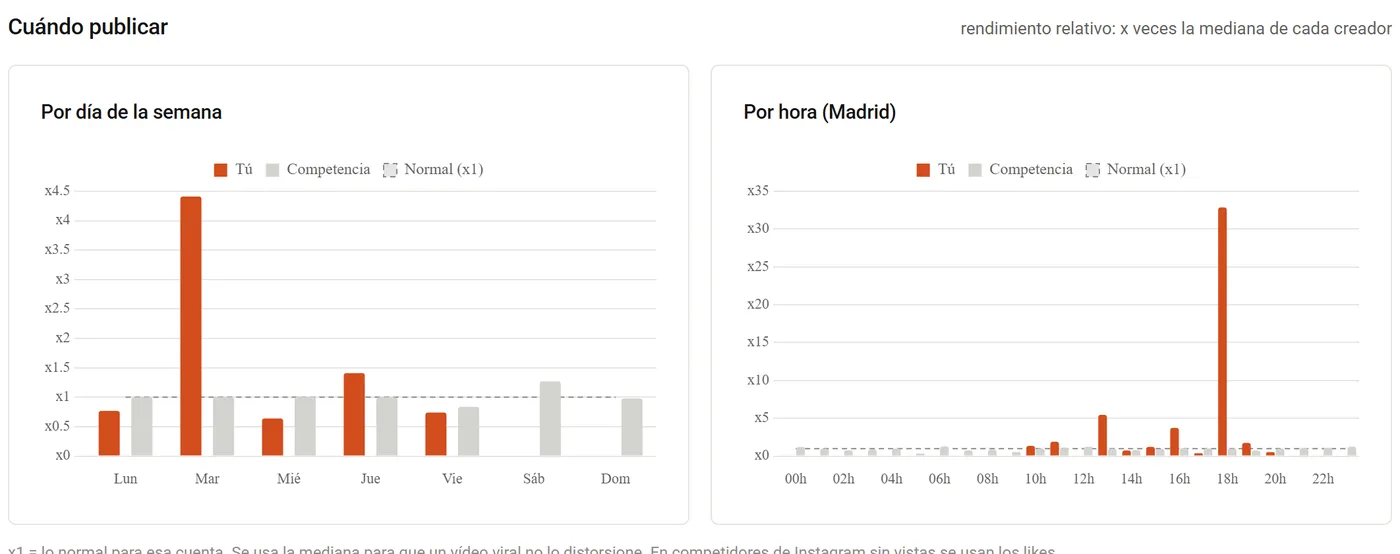
Be careful not to read too much into this: with only a few posts, one really successful video will spike the bar for that day and time. This is useful for spotting trends when you have lots of videos, not for drawing conclusions from just a handful.
2. Auto-messages by keyword (the official option)
If your account is a business account, TikTok lets you set up in the message settings:
- A welcome message for anyone who writes to you for the first time.
- Auto-replies by keyword: if someone DMs you “GUIDE,” they get the text and link you set up.
- Frequently asked questions with answers, which users see when they open the chat.
The big advantage: it’s official, there are no weird limits, and your account isn’t at risk. The catch: the user has to DM you—a comment isn’t enough. That’s why many creators say in their videos “DM me GUIDE” instead of “comment GUIDE.”
If your video is likely to go viral, this is the option I recommend as your foundation: it scales without limits.
3. Comment a word and get the link by DM
You see this everywhere: “comment GUIDE and I’ll send it to you.” It works well because comments boost your video’s reach and the DM gives you direct contact.
Instagram has an official Meta API for this. TikTok doesn’t (for most users). So I use my own system that:
- Checks the comments on my videos every few minutes (both recent and older ones, so no one misses out).
- Detects the keyword for each video.
- Sends the message from my account, with an hourly limit and pauses, so the pace looks human, not robotic.
- Logs everything.
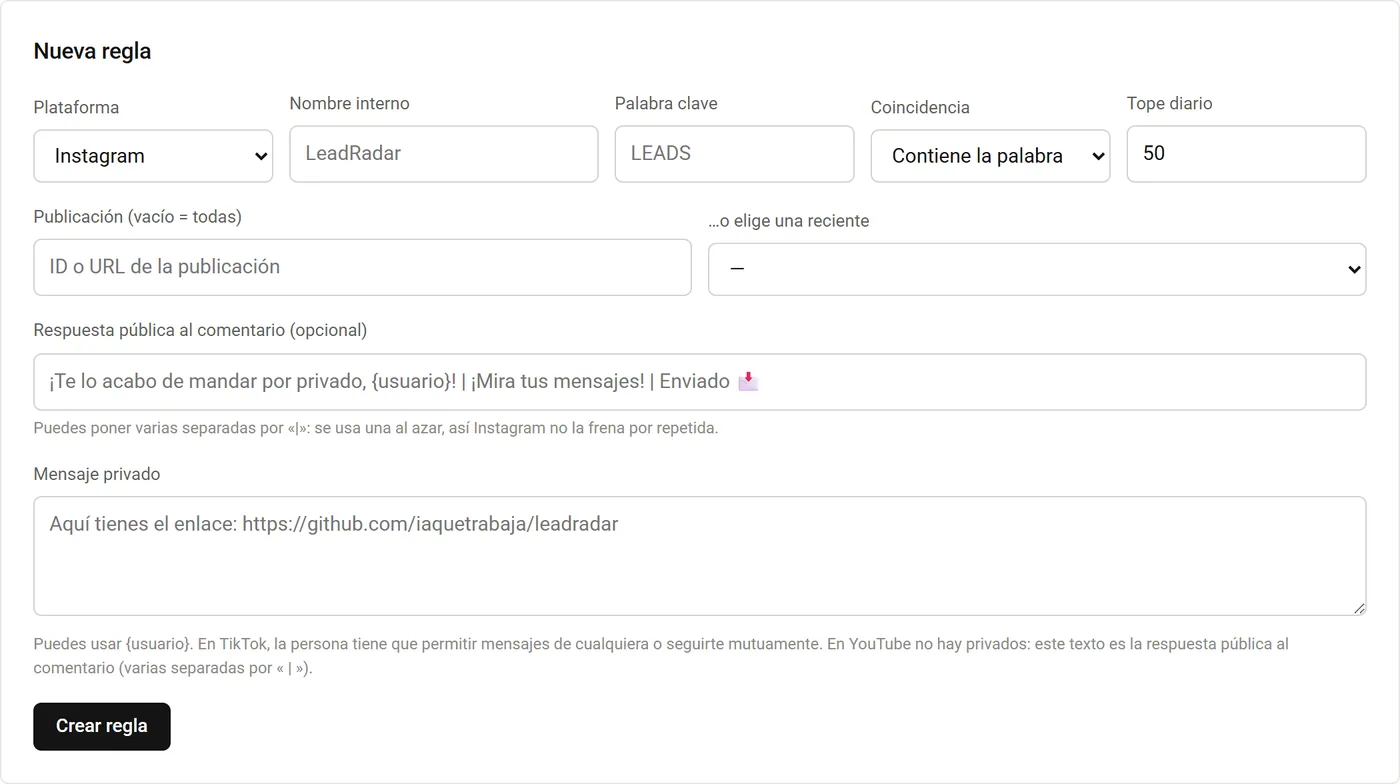
Here’s what a rule looks like in my dashboard. Each rule is a word, a video (or all), a message, and a daily limit:
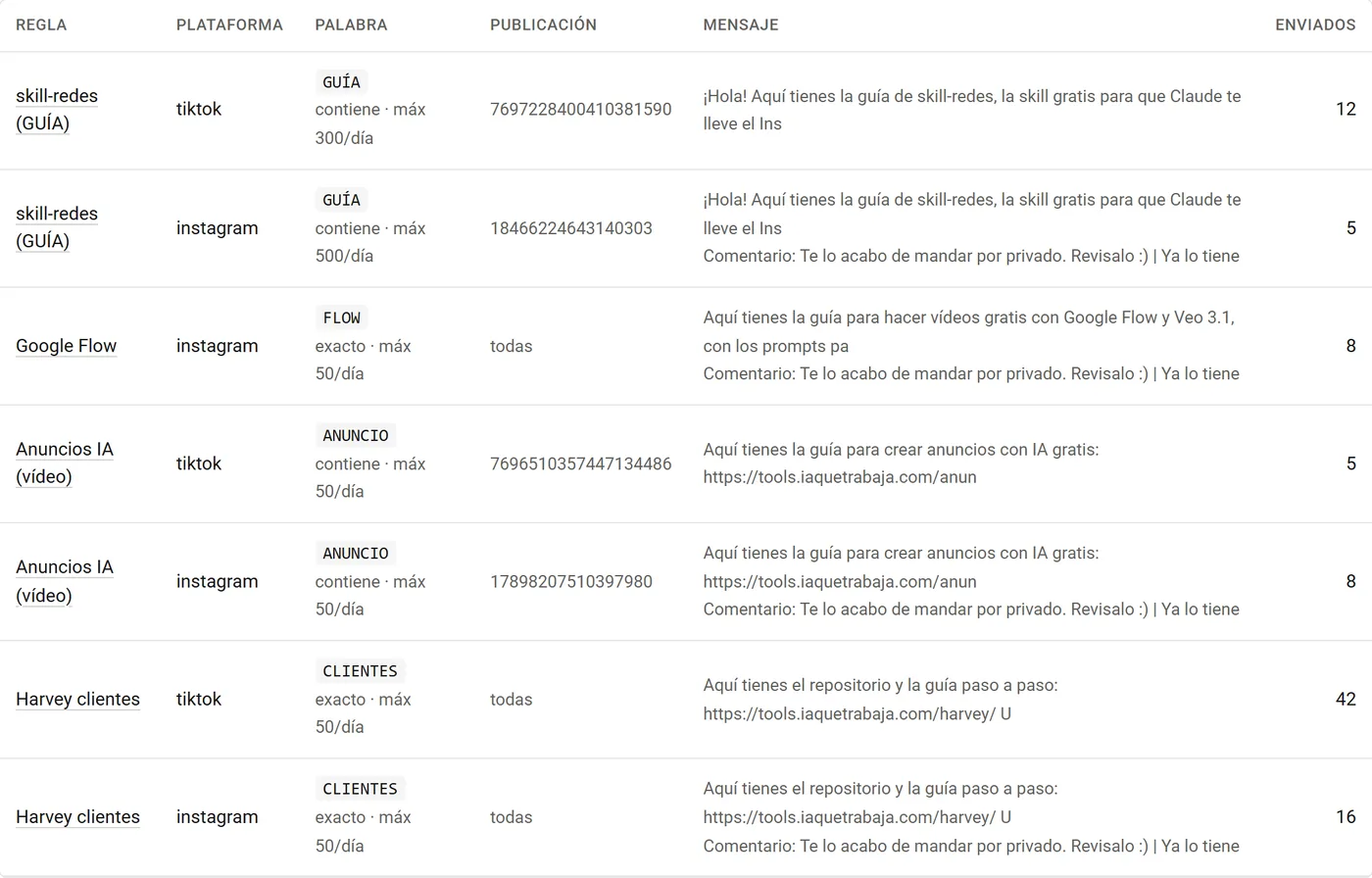
And here are some active rules, with the number of messages each has sent:
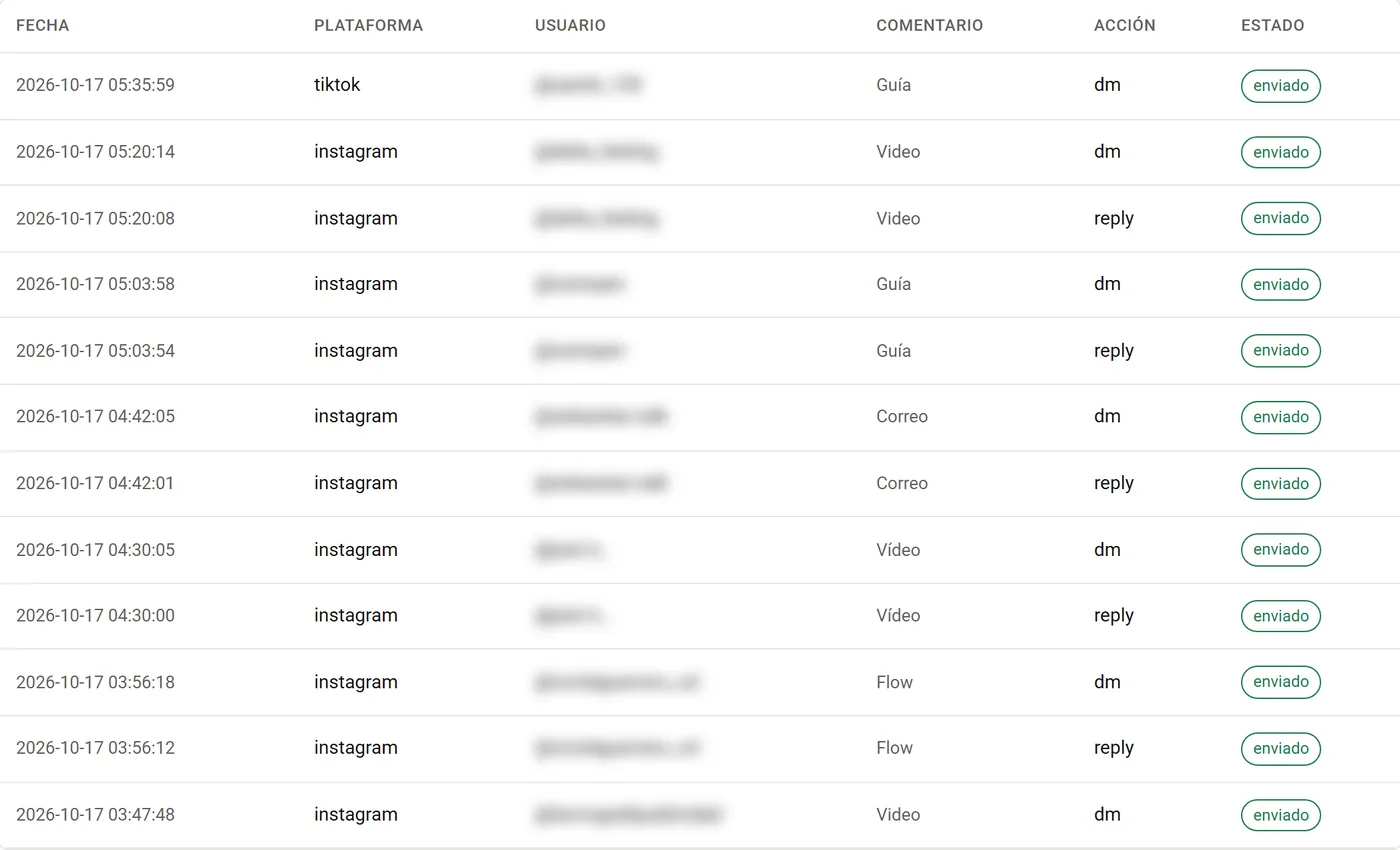
The log records every send, so you know what happened with each comment:
If you want this system on your accounts without the hassle, it’s one of the services I set up, with Instagram via the official API and TikTok with the care I’ve described.
4. Analyzing your account and competitors
Knowing what works is the most valuable thing in the long run. TikTok Studio gives you your own stats, but not your competitors’, and it doesn’t tell you why a video worked.
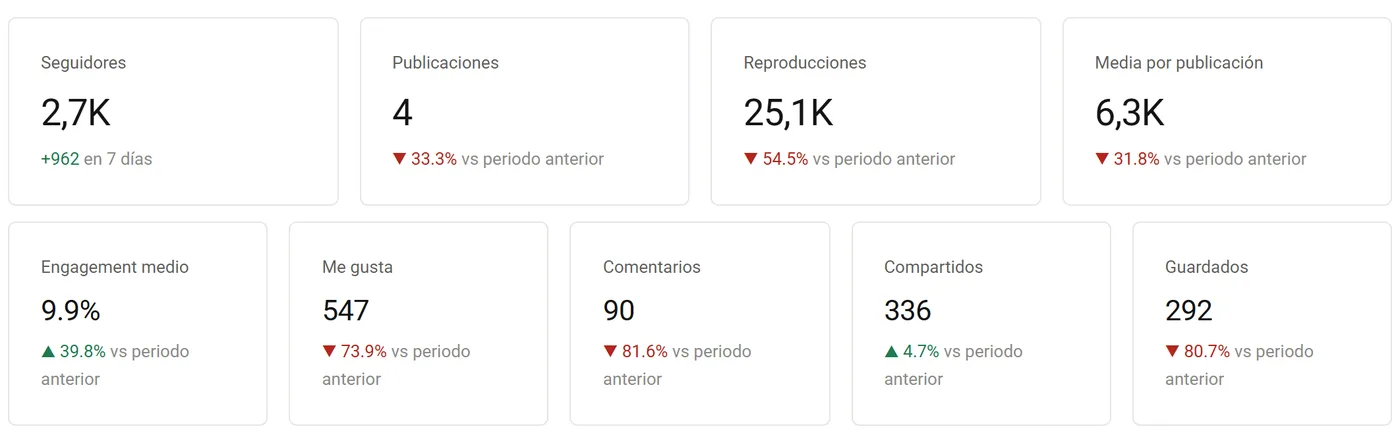
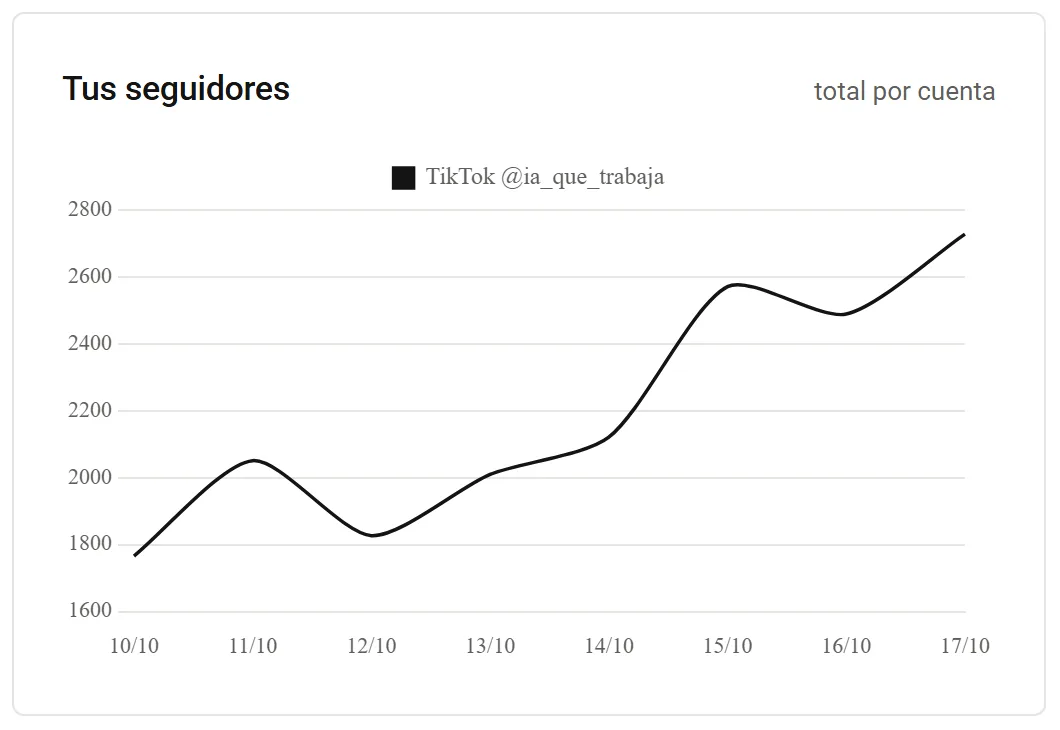
My dashboard collects my videos and those of creators I follow every morning, and shows me:
- Growth in followers and views, compared to the previous week.
- Engagement compared to competitors: likes, comments, shares, and saves per view.
- Which formats and topics are working best in my niche that week.
- Video ideas based on what’s worked for others in recent days, scored from 0 to 10.
If you don’t want to build a dashboard, here’s a lighter version: once a week, jot down the top 5 videos (by views) from 5 accounts in your niche and ask AI what they have in common (hook, length, topic, format). The results may surprise you.
5. Ideas, scripts, and production with AI
You can speed up the creative side a lot, too:
- Scripts and hooks. I made a free skill for Claude that helps with scripts, scored hooks, pacing, weekly planning, and making AI text sound more human. It doesn’t touch your accounts or ask for passwords.
- Voiceovers. If you don’t want to use your own voice, you can generate free voiceovers on your PC: see the AI voice guide.
- Videos. For whiteboard videos, stick figures, or AI-generated clips, here are the free tools I use in my videos.
What I would never automate: recording your face and voice if you are the brand. People follow people, and that can’t be delegated.
What I don’t recommend
- Follow/unfollow bots, auto-likes, or auto-comments on other accounts. These are the easiest to detect and the quickest way to get your account restricted.
- Buying followers or views. This destroys your engagement, and the algorithm stops showing your videos.
- Posting the same video on repeat or mass-generating videos without reviewing them. TikTok is getting better at detecting repeated content.
- Tools that ask for your TikTok password. If something wants your password, don’t trust it.
Where to start today
- Switch your account to a business account (if you’re not selling music with your videos, you lose almost nothing).
- Set up a welcome message and an auto-reply by keyword with your main link.
- Schedule your week’s videos from TikTok Studio.
- Use AI for your scripts: give it your best-performing videos and ask for variations.
And if you want the full package (comment-to-DM, Instagram via the official API, and the analytics dashboard), I can set it up for you.
Frequently asked questions
Can you automate TikTok?
Yes, partly. Officially, you can schedule posts and set up auto-replies by keyword in messages if you have a business account. Replying to comments by DM or analyzing competitors requires external tools.
How do you set up auto-messages on TikTok?
With a business account, go to message settings to activate a welcome message, keyword-triggered auto-replies, and frequently asked questions. These work when someone DMs you.
Can TikTok ban you for automating?
Scheduling posts and using the official auto-replies is risk-free. Bots that follow, like, or mass-message can get your account restricted or banned.
What’s the best time to post on TikTok?
Whatever your own data says. Compare each video to your account’s median by day and hour, with enough videos so that one viral post doesn’t skew the results.