IA que trabaja
Claude's prices range from $0 to $200 a month, depending on the plan and how you use it. For most freelancers and small businesses, the Pro plan is usually enough, but if you need more usage, API access, or want to work as a team, there are better options. Here I explain each plan, its limits, and when it makes sense to upgrade.
---
Claude Plans Comparison Table (2024)
Here’s a quick table with the main prices and limits, according to Claude’s official website (source):
| Plan | Monthly price | 5h limit | Weekly limit | Fable | API included | Who is it for? |
|---|---|---|---|---|---|---|
| Free | $0 | Low | Low | No | No | Curious users, testing |
| Pro | $20 ($17/mo annual) | 1x | 1x | Yes (credits) | No | Daily use, freelancers |
| Max | $100 | 5x Pro | 5x Pro | Yes (included) | $100/mo | Heavy users, API |
| Ultra | $200 | No 5h limit | 10x Pro | Yes (more) | $200/mo | Large companies, long tasks |
| Team | $20-100/user | Per seat | Per seat | Yes | No | Teams, companies |
Notes:
- Exact limits depend on the model and type of task. If you use more powerful models or large files, you’ll hit the limit sooner.
- I mention the Ultra plan for completeness, but for most people it’s only worth it for companies with very high needs.
- Prices do not include taxes.
---
How Much Does Claude Cost Per Month?
Claude’s price depends on the plan you choose:
- Free: $0, limited use.
- Pro: $20 per month (or $17 if you pay annually).
- Max: $100 per month, with 5x more usage than Pro and $100 in API credits.
- Ultra: $200 per month, aimed at large companies.
- Team: from $20 per user per month (annual), or $25 if you pay monthly. Premium seat goes up to $100-125 per user per month, with 5x more usage.
---
What Does Each Claude Plan Include?
Free
- Free, no card required.
- Limited usage every 5 hours and per week. If you use powerful models or large files, you’ll hit the limit sooner.
- No access to Fable.
- No API access.
- You can chat on web, mobile, and desktop, use memory, and create files.
Pro
- $20 per month ($17 if you pay annually).
- More usage than Free, but still limited every 5 hours and weekly.
- Access to Fable, but with limited credits (you can use it up to half your weekly limit).
- Access to Opus, Sonnet, and Haiku models.
- Claude Code, Claude Science, and other advanced features.
- No API access.
Max
- $100 per month.
- 5x more usage than Pro, both every 5 hours and weekly.
- Fable included up to half your weekly limit.
- $100 per month in API credits. You can use the API up to that value at no extra cost.
- Priority access during peak hours.
- Early access to new features.
Ultra
- $200 per month.
- No 5-hour limit (for verified accounts).
- 10x more weekly usage than Pro.
- $200 per month in API credits.
Team
- Designed for teams of 2 to 150 people.
- Standard seat: $20 per user per month (annual), $25 if you pay monthly. More usage than Pro.
- Premium seat: $100 per user per month (annual), $125 if you pay monthly. 5x more usage than standard.
- Collaboration features, centralized payments and admin.
- Access to Claude Code, Claude Design, Slides, Docs, Motion, Dashboards, Science, Microsoft 365, Claude Tag and more.
- No API credits per user, but you can combine it with a Max plan if you need API access.
---
What Are the Limits of Each Claude Plan?
This is where it gets a bit tricky, because limits aren’t just by number of messages, but by usage every 5 hours and per week, and depend on the model and file size.
- Free: Low limit, enough for testing or very occasional tasks.
- Pro: 1x (the standard), which is enough for most freelancers and small businesses unless you work with lots of large files or models like Fable.
- Max: 5x more usage than Pro. Here you can work all day without worrying about limits, unless you do very intensive tasks.
- Ultra: 10x more than Pro and no 5-hour limit (if your account is verified).
- Team: Depends on the seat (standard or premium), but generally more generous than Pro.
Note: If you use models like Fable or upload large files, you’ll use up your limit faster.
---
When Does It Make Sense to Upgrade from Pro to Max?
This is the question I get asked most, and the answer depends on your actual usage.
- If you run out of usage several times a week on Pro: Max gives you 5x more room. If you work with lots of large files, code, or advanced models, it’s worth it.
- If you need Claude’s API: Max includes $100 per month in API credits. If you automate tasks, connect Claude to other tools, or need to make automated calls from your website or app, this is where it starts to pay off.
- If you want priority access during peak hours: Max gives you that.
---
What Is Claude’s Team Plan and Who Is It For?
The Team plan is designed for companies and teams of 2 to 150 people who want to centralize payments, control usage, and collaborate on projects.
- Price: $20 per user per month (annual) or $25 if you pay monthly (standard seat). Premium seat goes up to $100-125.
- Limits: More generous than Pro, and the premium seat matches Max usage.
- Extras: Centralized admin, access to Claude Code, Design, Slides, Docs, Motion, Dashboards, Science, Microsoft 365 integration, Claude Tag, enterprise search, and more.
- API: Not included by default, but you can combine it with a Max plan if you need automation.
---
How Much Does Claude’s API Cost and How Is It Calculated?
Claude’s API is billed by tokens, meaning the amount of text you send and receive. Each model has a different price (source).
Here’s the price table for the main models (price per million tokens, in US dollars):
| Model | Input (prompt) | Output (response) |
|---|---|---|
| Fable 5.2 | $8 | $40 |
| Opus 5.5 | $4 | $20 |
| Sonnet 5.5 | $2 | $10 |
| Haiku 5.5 (<100k) | $0.10 | $0.50 |
| Haiku 5.5 (>100k) | $0.50 | $2.50 |
Practical example:
Suppose you make 10,000 messages per month, each with 500 input tokens and 500 output tokens, using Sonnet 5.5.
- Input tokens: 10,000 x 500 = 5,000,000 tokens → 5 MTok
- Output tokens: 10,000 x 500 = 5,000,000 tokens → 5 MTok
- Input cost: 5 x $2 = $10
- Output cost: 5 x $10 = $50
- Total monthly: $60
If you have the Max plan, the first $100 per month are included. If you go over, you pay the difference.
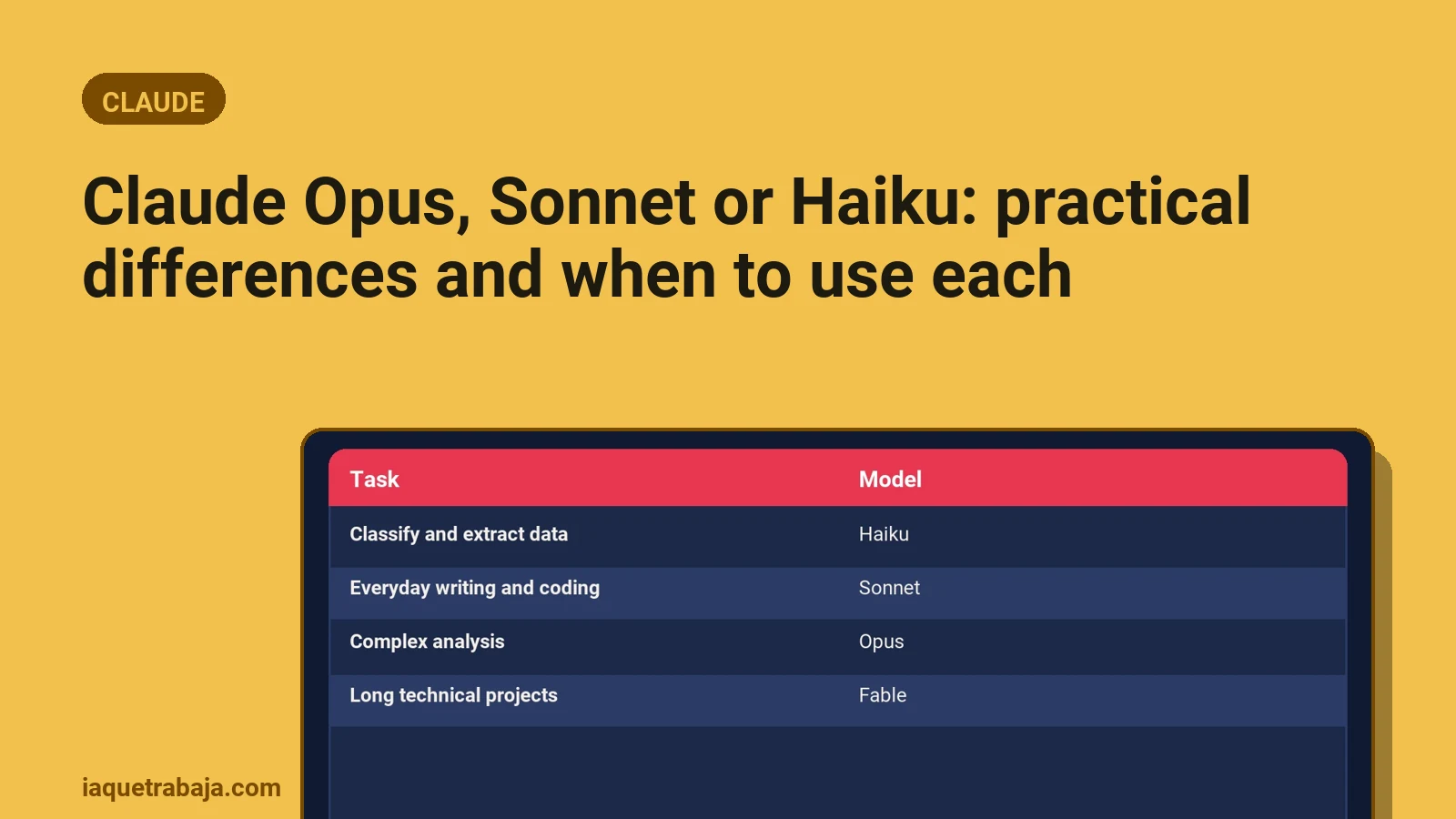
Note: Prices may change and there are cheaper models (Haiku) for simple tasks, or more expensive ones (Fable) for complex tasks.
---
Does Claude Offer Student Discounts or Special Plans?
Right now, according to the official website, there are no specific discounts for students or special plans for NGOs or similar. All prices are as shown in the table.
That said, you can use the Free plan at no cost to learn or test. If you’re a student and need more usage, you’ll have to upgrade to Pro like any other user.
---
What Happens If I Hit My Usage Limit on Claude?
When you reach your usage limit (every 5 hours or weekly), Claude will notify you and you won’t be able to use the more powerful models until the period renews. You can still use basic features or less powerful models, but not Fable or large tasks.
The counter resets automatically and you can continue after a few hours or the next day. If this happens often, it’s a sign you need to upgrade your plan.
---
Which Claude Plan Is Worth It for My Case?
Here’s a practical summary:
| Use case | Recommended plan |
|---|---|
| Just testing or occasional use | Free |
| Daily use, freelancers | Pro |
| Heavy work, automation, need API | Max |
| Companies with multiple users | Team |
| Large companies or very long tasks | Ultra |
If you’re unsure between Pro and Max, check your weekly usage and whether you automate tasks. If you just chat and do normal tasks, Pro is usually enough. If you run out or want the API, go for Max.
---
In Short
For most small businesses and professionals, Claude’s Pro plan is enough and good value. If you automate tasks or need more usage, Max or Team may be worth it.
---