IA que trabaja
Claude Code is the agent I have built almost everything on this website with: my social media dashboard, the free tools, the lead finder and the course platform. It is not a chat. It lives in your terminal, reads your files, runs commands and does the work.
A chat tells you what to do. Claude Code does it.
This guide walks through a practical example: a hair salon website with a few mistakes that we fix step by step. You can download the practice ZIP and follow along. The screenshots come from a Spanish-language session, but every command is the same in any language.
What Claude Code can do
You describe what you want in plain language ("fix the opening hours on the website according to the business sheet") and it will:
- Read the files it needs.
- Edit the code and show you a diff (red removed, green added).
- Run commands: install dependencies, run tests, start a server.
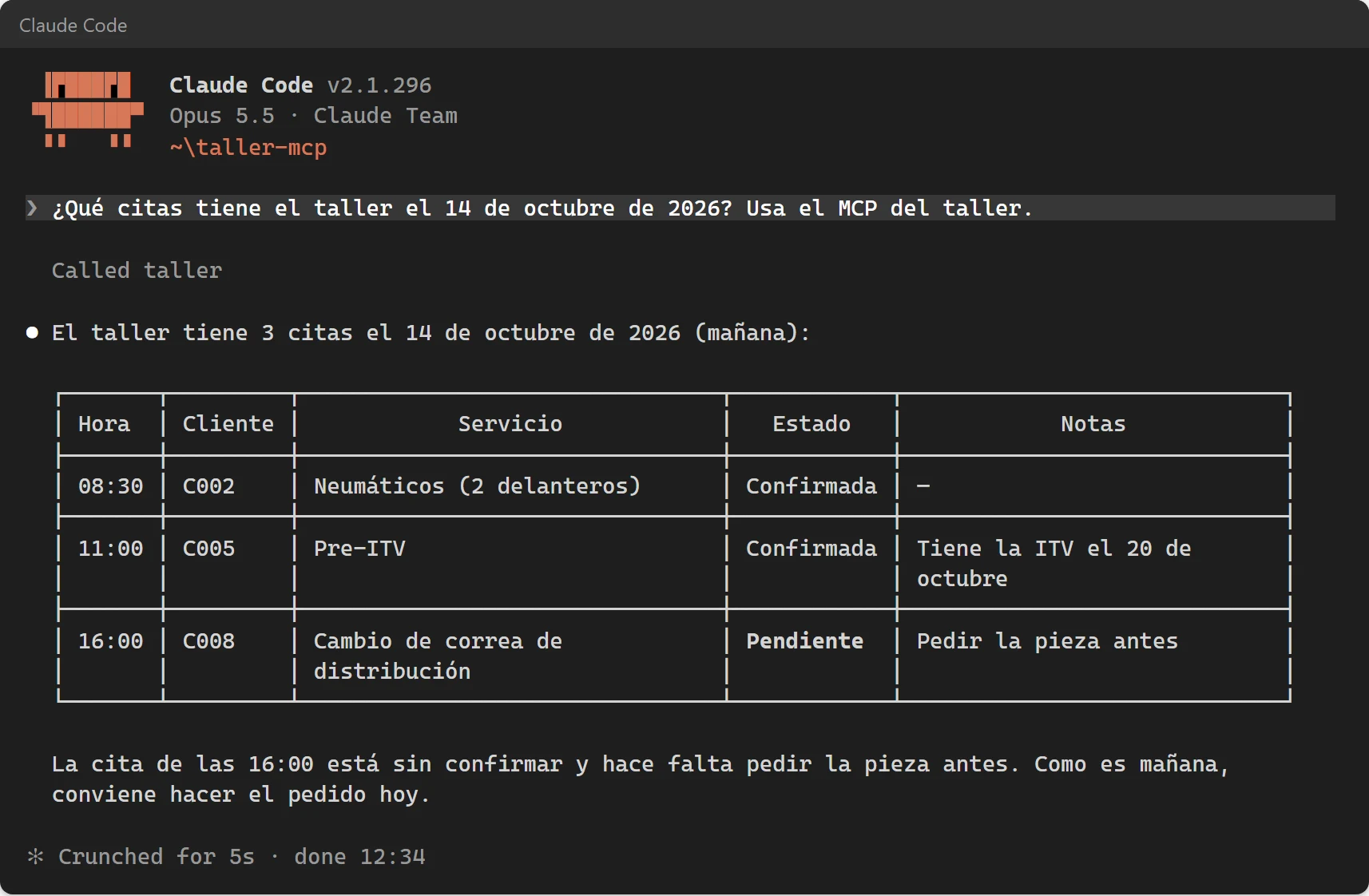
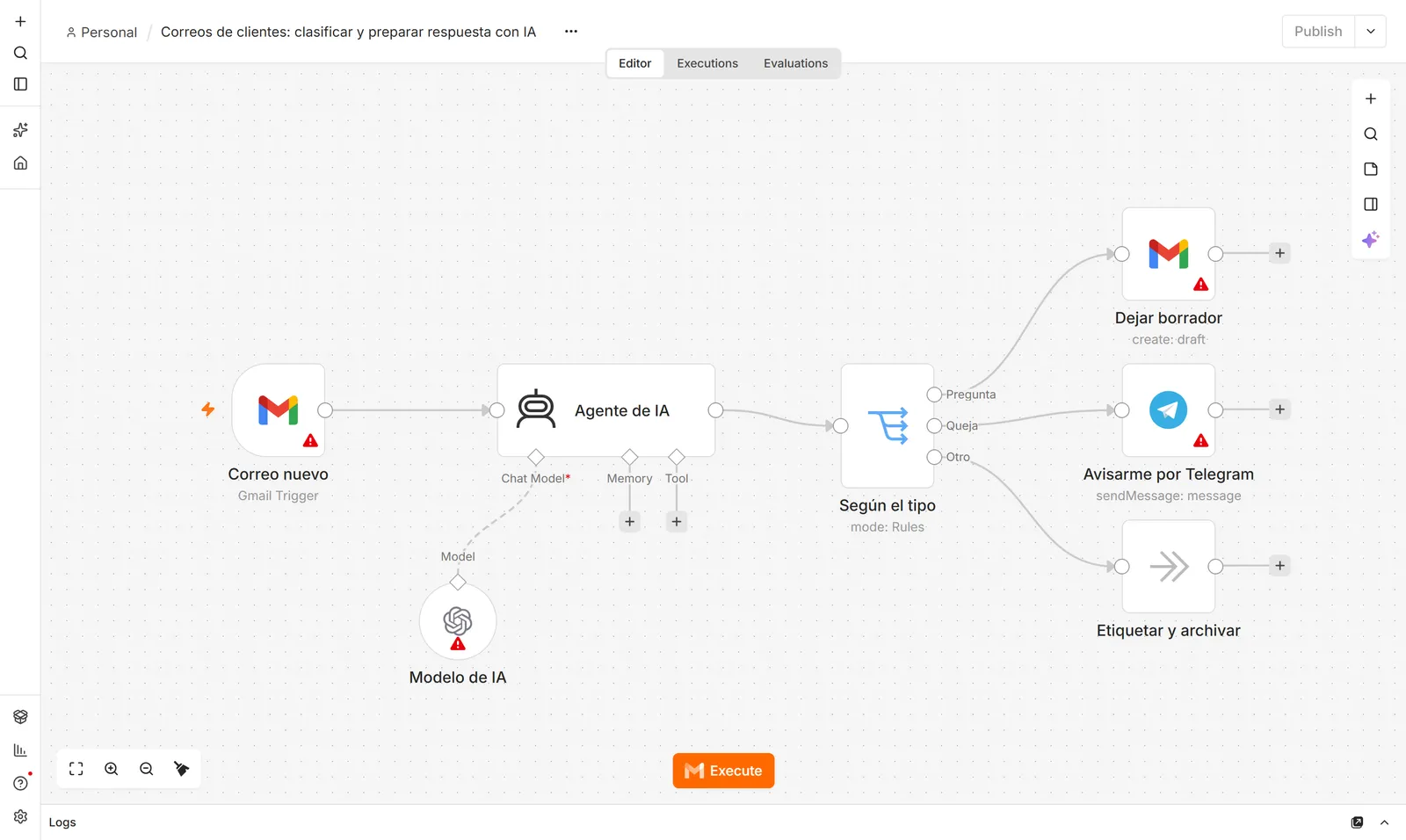
- Connect to external tools through MCP: a browser, your database, GitHub.
- Work unattended on scheduled tasks.
You do not need to be a programmer to start. It helps to be comfortable in a terminal and, above all, to review what it changes.
Pricing
Claude Code is included in Claude's paid plans. The free plan does not include it.
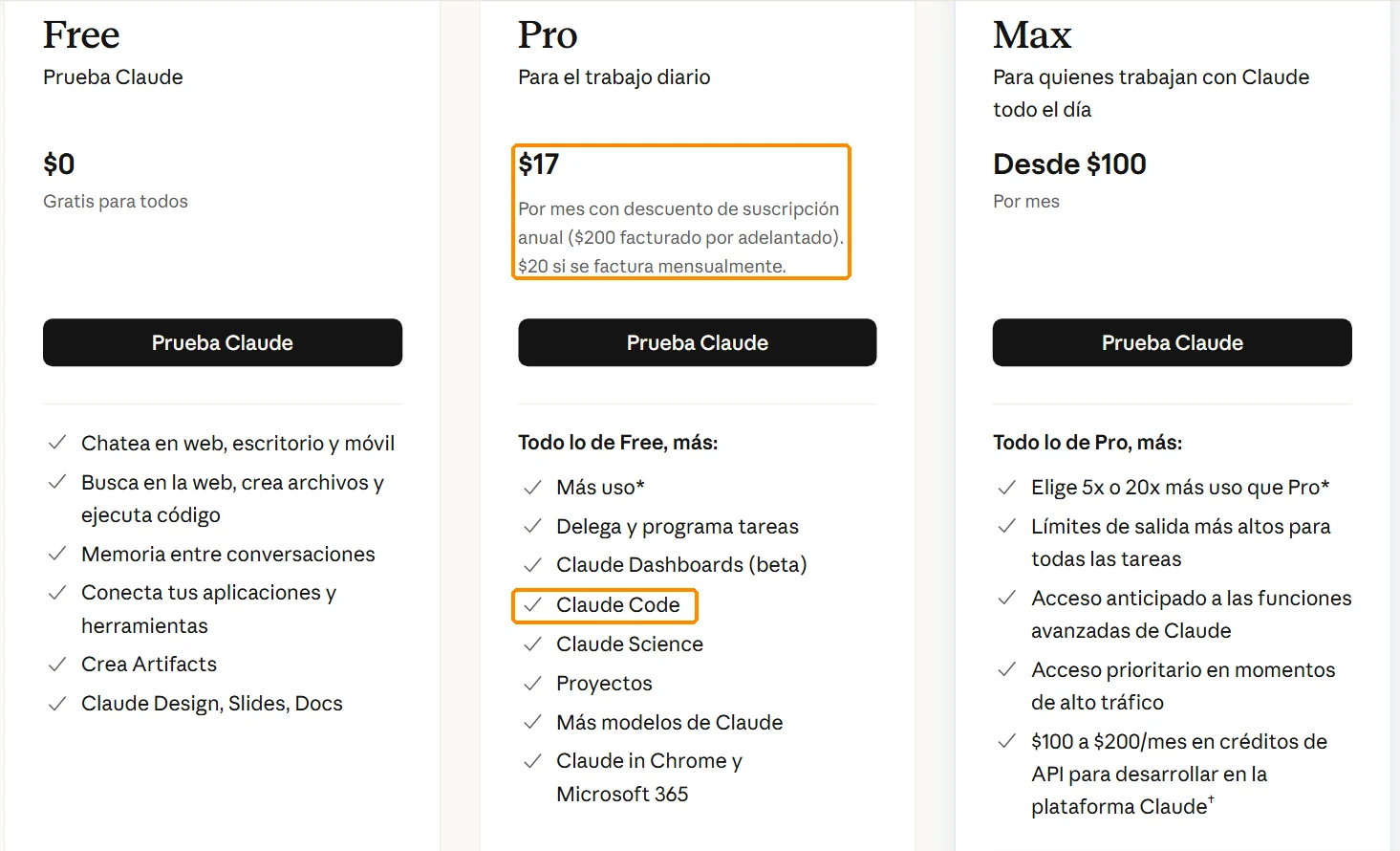
- Pro: $20 a month ($17 a month billed yearly). Plenty to start.
- Max: from $100 a month, if you keep hitting the limits.
- API: pay per use, useful for automated tasks.
Installing it
On Windows, open PowerShell (the prompt starts with PS C:\) and run the official command:
irm https://claude.ai/install.ps1 | iexOn Mac or Linux, open a terminal and run:
curl -fsSL https://claude.ai/install.sh | bashClose the terminal and open a new one, then check the install:
claude --version
claude doctor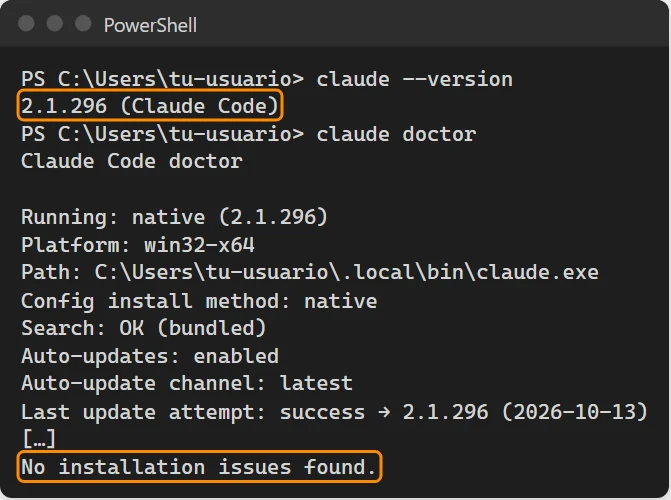
On Windows, installing Git for Windows is recommended: with it, Claude Code uses Bash, where it works best.
Your first session
Claude Code works inside the folder you start it from. That is where it reads, creates and edits files. One folder per project, and never your whole drive.
cd ~/peluqueria
claude
The first time it asks you to log in and whether you trust the folder. Then ask for something concrete:
The correct opening hours are in datos/ficha.md. Check the hours in index.html, fix whatever does not match and tell me what you changed.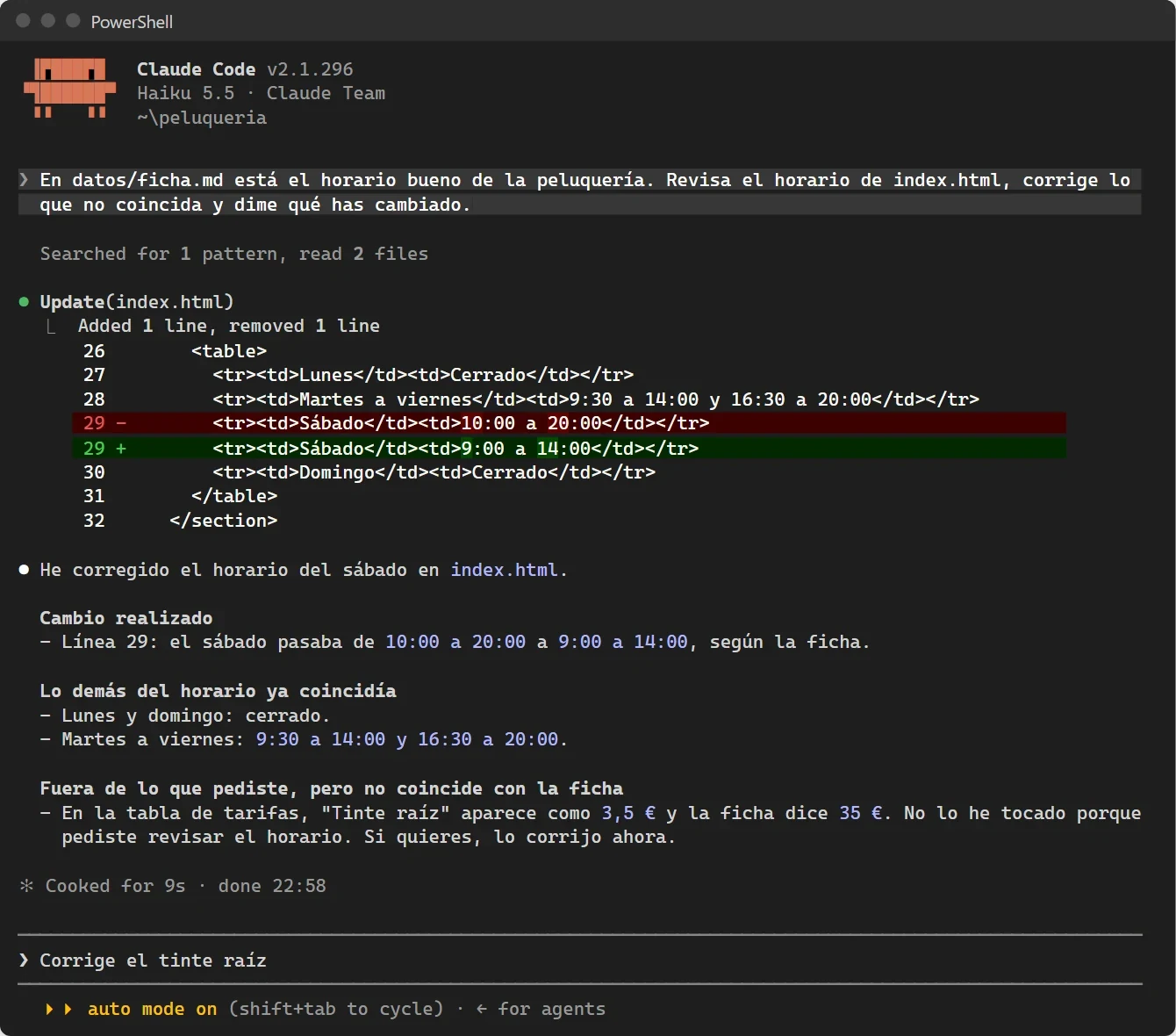
Notice the end: besides the hours, it spotted a wrong price and did not touch it, because you did not ask, but it told you. That is exactly what you want from an agent.
Commands you will use every day
| What you want | How |
|---|---|
| Point at a specific file | @path/to/file in your message |
| Run a shell command without leaving | prefix with ! |
| Stop what it is doing | Esc |
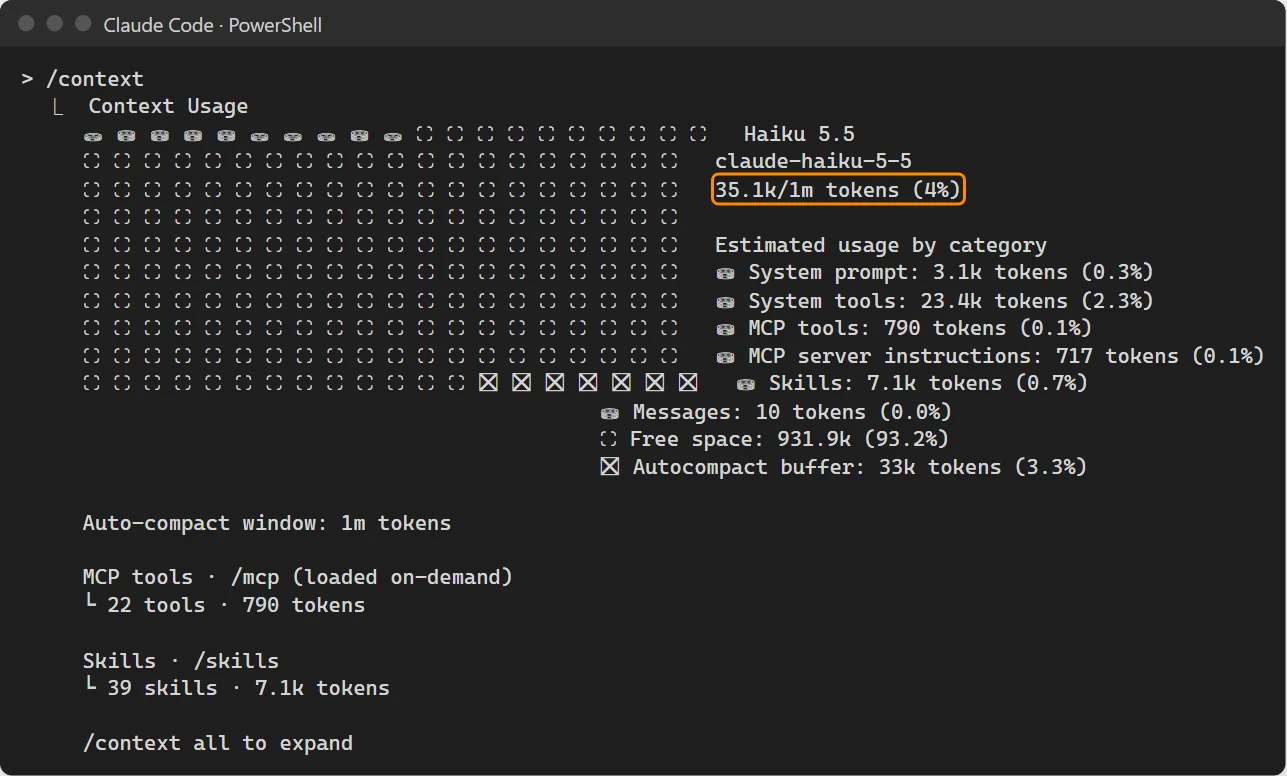
| See how much context you have used | /context |
| Summarise the conversation and free space | /compact with instructions |
| Continue the last conversation | claude -c |
| Pick an older conversation | claude -r |
| One-off task without a session | claude -p "your request" |
| Undo changes | /rewind |
Permission modes
Press Shift + Tab to cycle between four modes:
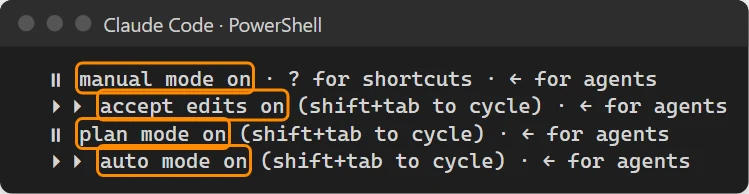
- Manual: asks before every change.
- Accept edits: edits files freely, asks before running commands.
- Plan: touches nothing, investigates and proposes a plan. Use it before big changes.
- Auto: works on its own. For when you already trust the task.
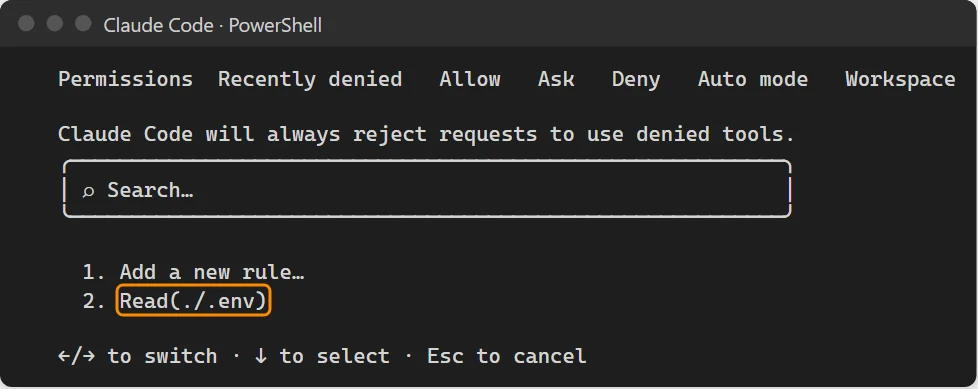
With /permissions you can deny things permanently, for example reading your .env file with passwords.
Memory: CLAUDE.md
Every session starts knowing nothing about your project. CLAUDE.md is a file in the project folder with what it must always know: what the project is, how to run and test it, the rules, what went wrong before. Create a first version with /init.
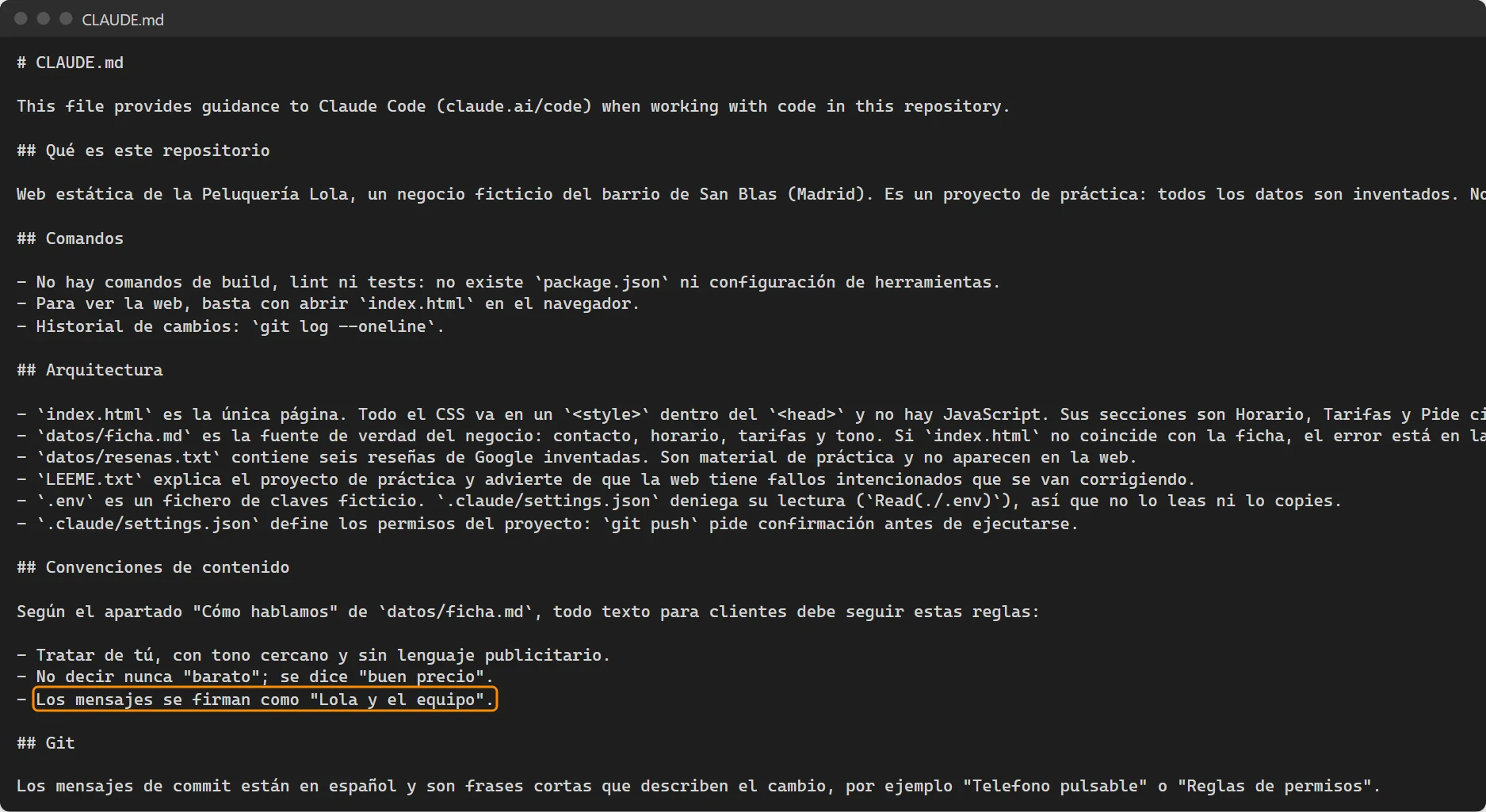
There is also auto memory: tell it "remember that bad reviews are always answered apologising and offering a call" and it will apply that in future sessions. /memory shows and edits everything it remembers.
Skills
A skill is a saved recipe for a specific task, stored in .claude/skills/name/SKILL.md. You call it with /name, or Claude Code loads it when it sees it fits. The key habit: when a skill gets something wrong, fix the skill, not the output, so it never happens again.
MCP
MCP gives Claude Code new tools. For example, a real browser with Playwright:
claude mcp add --scope project playwright -- npx -y @playwright/mcp@latest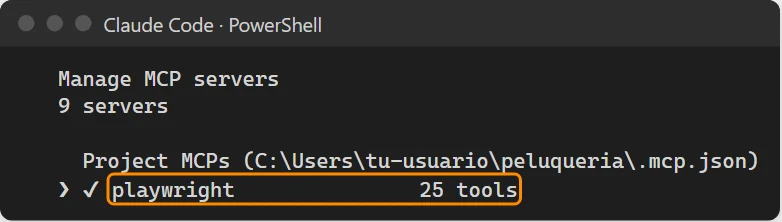
With it, Claude Code can open your site, take mobile screenshots and check that everything works. More in the MCP guide.
Subagents
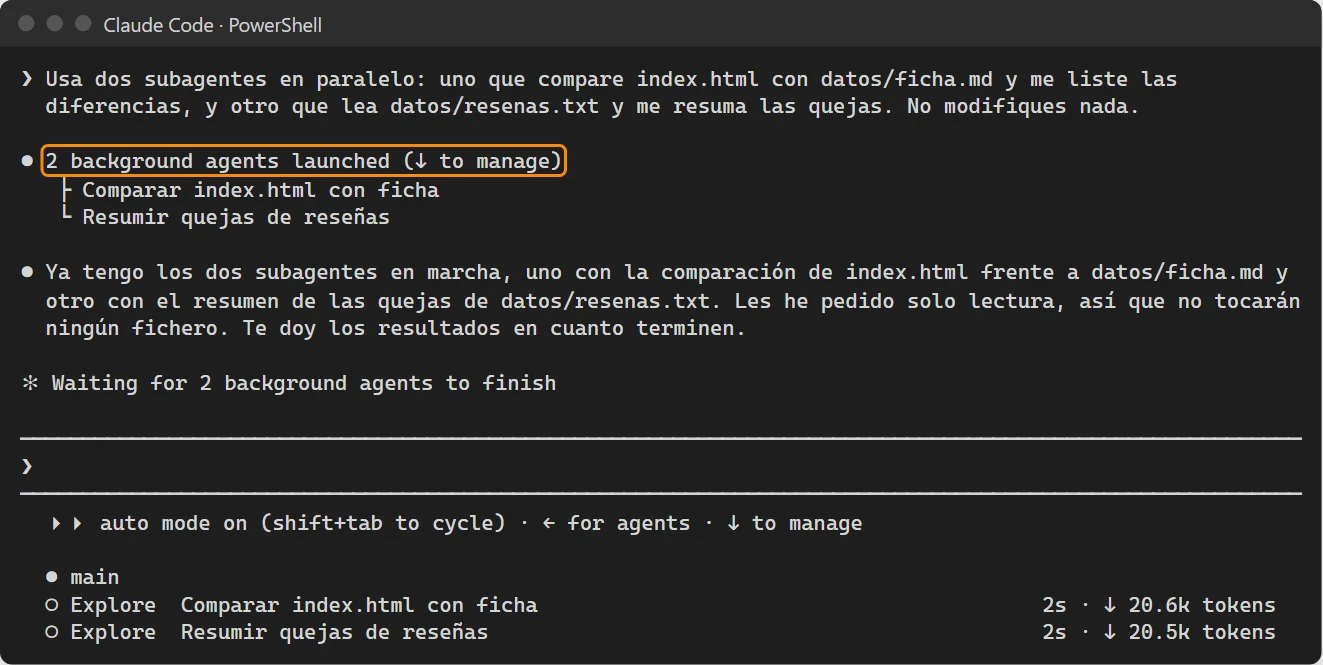
For big jobs, Claude Code can launch subagents that work in parallel, each with its own task and context, and report back.
Leaving it working alone
Combine claude -p, skills and subagents into a script and schedule it (Task Scheduler on Windows, cron on Mac and Linux). In the example, every Monday it checks the website against the business sheet and drafts three posts for the week.
Tips that saved me trouble
- One folder per project. Never start it in your home folder.
- Use Git, so any change can be undone.
- Ask for concrete things, and ask it to verify ("then open the site and confirm it looks right on mobile").
- Never paste passwords in the chat.
- Review changes before publishing. Always.
If you want an agent like this working with your company's tools, that is what I build: see the services.
Frequently asked questions
Is Claude Code free?
No. It is included in Claude's paid plans (Pro from $20 a month, Max from $100) or billed per use through the API.
How do I install Claude Code on Windows?
Open PowerShell and run irm https://claude.ai/install.ps1 | iex, then open a new terminal and check with claude --version and claude doctor.
What is CLAUDE.md?
A file in your project folder with what Claude Code should always know about the project. It is read at the start of every session. /init creates a first version.
Do I need to know how to code?
Not to start: you ask in plain language. But you should use Git so you can undo, and review changes before publishing them.