 IA que trabaja
"AI agent" has become a buzzword that gets used for everything. So first, what does it mean to me? An AI assistant that has access to your tools and can carry out multi-step tasks—not just answer questions.
A chat will tell you how to make a sales report. An agent will log into your store, pull the week’s sales, compare them to last week, and send you the report by email. That’s the difference.
Examples of what an agent can do
- An internal bot for your team. In this real case, a shop’s team asks on Telegram, “How much have we sold today?”, “Do we have that model?”, or “What’s still pending?”, and the agent checks sales, catalog, and tasks to reply. Before, that meant interrupting someone.
- A search tool for your documents. Contracts, files, internal procedures: you ask in plain language and it replies, quoting the document it found the answer in.
- Automated reports. Every Monday, the agent gathers data from your systems and sends you a summary of what matters (and stays silent when there’s nothing to report).
- Tasks with permission. Preparing a quote in your invoicing software, creating a task in your manager, replying to a client… and asking for your confirmation before sending or saving anything.
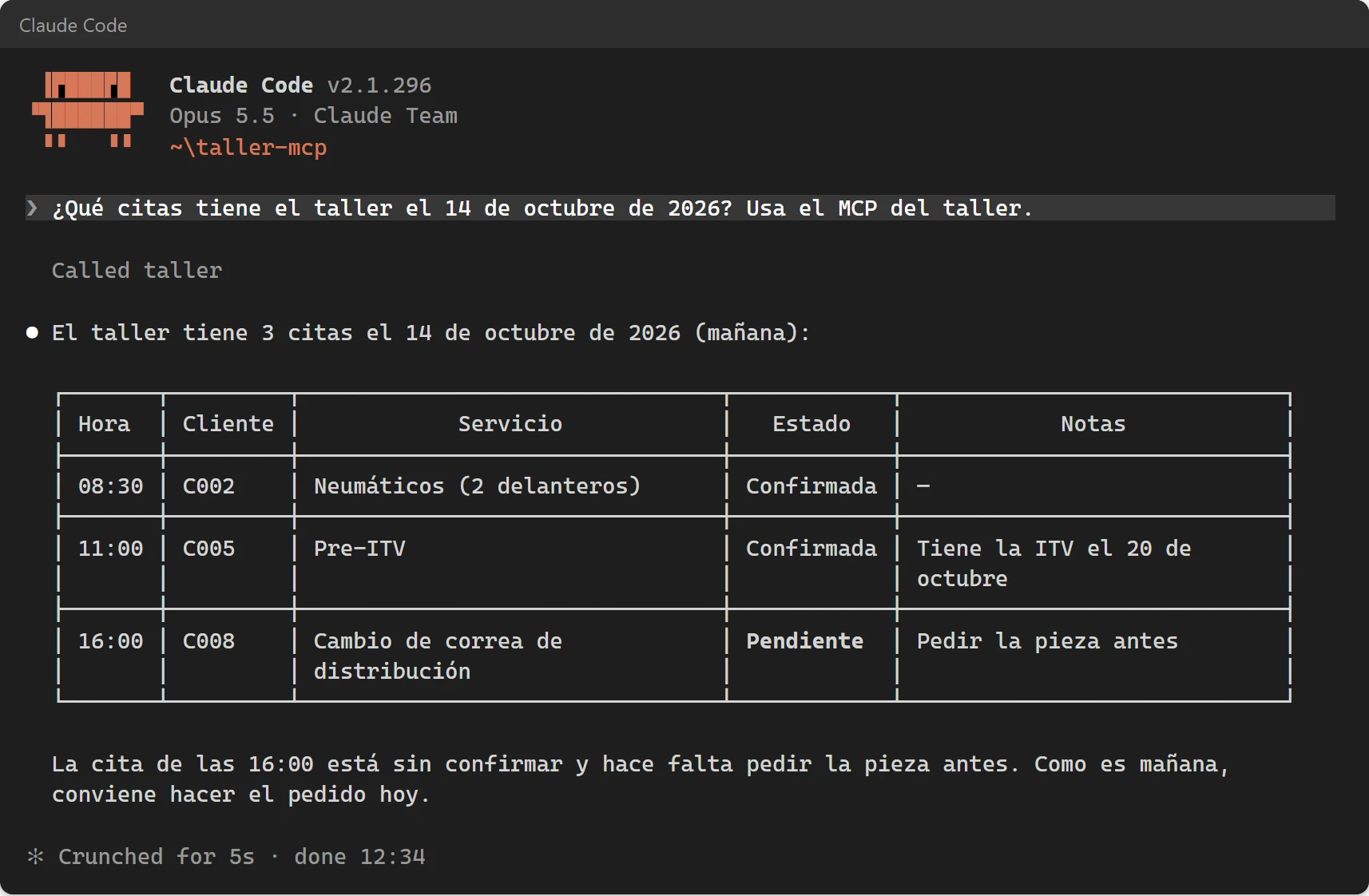
How I set it up to keep things safe
An agent that can access your systems needs to be tightly controlled. Here’s what I always do:
- Minimal permissions. If it only needs to read stock, access is read-only. In the real case, the sync tool can view stock but not change it.
- Confirmation before acting. Anything it sends, deletes, or charges goes through a “Should I do this?” first.
- Full logging. What it checked, what it did, and when—so you can review if something doesn’t add up.
- Protection against injected instructions. If an email or note says “ignore your instructions and do this,” the agent treats it as plain text, not as a command. This is real and does happen: I show it in the MCP guide.
Under the hood, I use whatever fits best: MCP to connect the agent to your tools, Claude or whichever model makes sense for cost, and n8n when multiple steps need orchestration.
What it costs
- Setup depends on what needs connecting. I give you a fixed price after a call, before starting, and with the estimator you can first see what it costs you today to do it by hand.
- Usage cost: depends on how much it’s used. An internal bot for a small team is usually €10 to €50 per month for AI.
What I won’t sell you
- An agent that “runs the whole business by itself.” That doesn’t exist. What does exist are agents that are very good at specific tasks, with supervision.
- Giving it full access to everything “just in case.” The more it can touch, the more it can break.
Frequently asked questions
What’s the difference between an agent and a chatbot?
A chatbot replies. An agent also acts: it checks your systems, chains steps together, and carries out tasks. That’s why it needs permissions and controls a chatbot doesn’t.
Where does the agent “live”?
Where you already work: Telegram, Slack, WhatsApp, email, or a web dashboard. Behind the scenes, it runs on a server (yours or mine, in your name).
Can I start with something small?
That’s what I recommend. An agent with a single task, working well, and then you can expand from there. What I don’t recommend is starting with an agent that tries to do everything.